Is CrunchLabs Hack Pack Worth It? A First-Year Retrospective
After six CrunchLabs Hack Pack kits, this retrospective looks at what worked, where the learning faltered, and whether the first year is worth the cost.

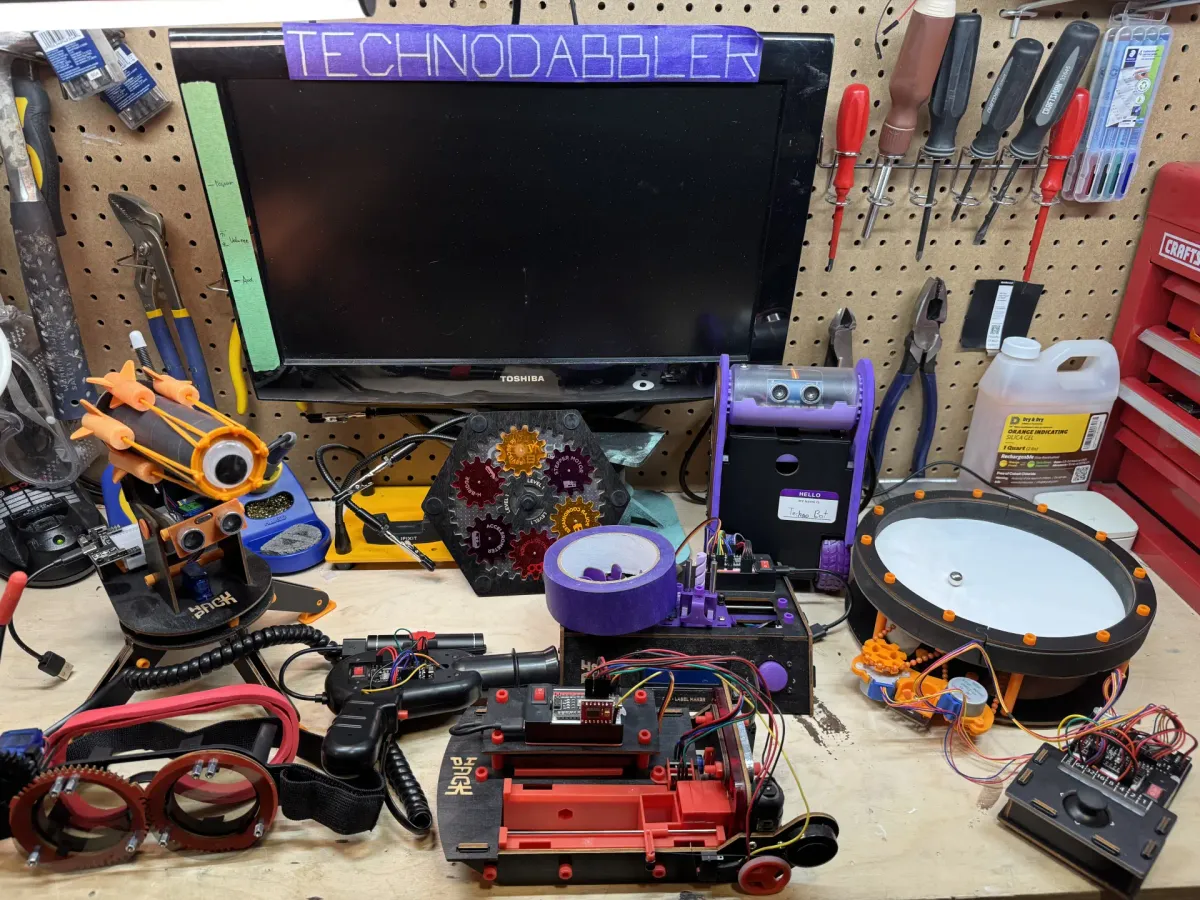
CrunchLabs Hack Pack makes an ambitious promise: send builders a new robot every two months and gradually turn the experience into an introduction to programming, electronics, and mechanical design. Over the past year, Technodabbler followed that process through six projects, from the relatively simple IR Turret to the autonomous Balance Bot.
 Alex Denault
This retrospective looks at the educational approach behind Hack Pack, compares the strongest and weakest projects from the original first-year lineup, and tries to answer the practical question behind any subscription program: whether Hack Pack provides enough value to justify its considerable cost.
What Is CrunchLabs Hack Pack?
CrunchLabs Hack Pack is a series of programmable robotics kits created by former NASA engineer and science educator Mark Rober. Each box contains the electronic and mechanical parts required to assemble a complete robot, along with a guided build video, starter software, and access to an online coding environment. The program is aimed primarily at teenagers, although its combination of approachable construction and editable Arduino-based code also makes it accessible to interested adults.
Hack Pack grows out of Mark’s belief that technical ideas are easier to learn when they are attached to something people already want to build. He describes this approach as “hiding the vegetables”. The playful mechanism catches the learner’s attention, creating a place to introduce the engineering principles behind it. With Hack Pack, the reward might be firing foam darts, drawing patterns in sand, printing a label, or watching a robot balance itself.
That philosophy shapes the content of each kit. The robot is designed to work once assembled, without requiring the builder to write a program from scratch. From there, the code can be opened, examined, and modified to change the robot’s behaviour. This lowers the initial barrier while still providing a path into programming, electronics, and mechanical design.
What Makes a Strong Hack Pack Kit?
A strong Hack Pack kit balances engagement, educational value, and accessibility. Engagement is central to the program’s philosophy. In his My $60 Million Science Experiment TED Talk, Mark Rober explains that after reaching billions of views, he learned that he cannot teach someone unless he first has their attention. The kits vary considerably in how effectively they create that attention and convert it into curiosity about the mechanism underneath.
The educational value increases with the progression of the series. The kits do not always depend directly on the previous project, but they often assume that the builder has become more comfortable with motors, sensors, code, and physical assembly. That progression is most visible when parts from earlier builds can be reused to expand a later robot. At times, however, the increase in difficulty feels uneven, which ultimately affects accessibility.
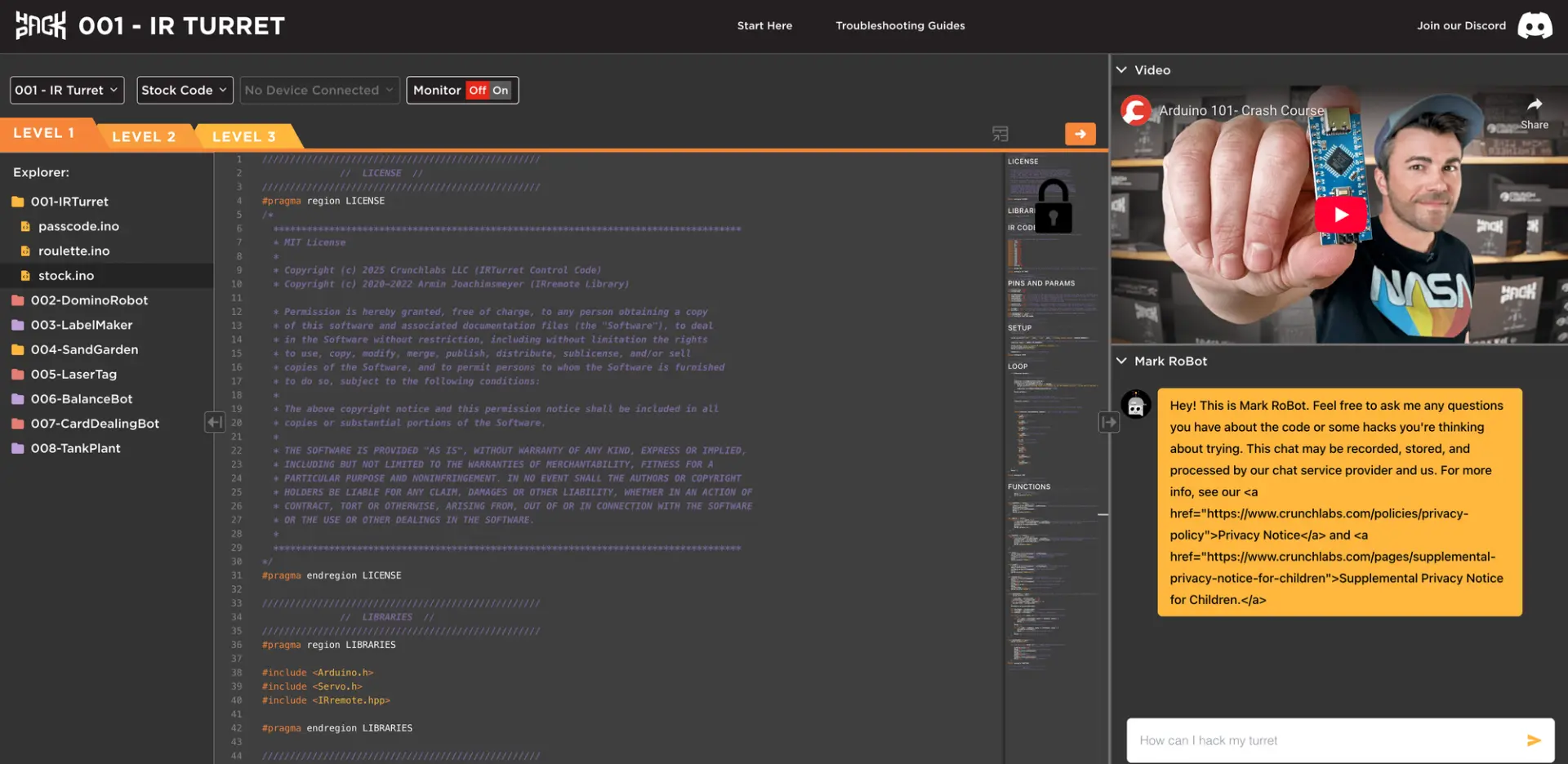
Hack Pack assumes no previous programming knowledge, and that assumption works reasonably well in the earlier kits. The web IDE supports beginners with a level-based progression and an AI assistant that can explain code or suggest changes. As the projects become more complex, however, the limits of the approach become clearer. Builders learn by modifying existing code, but the program does not systematically teach core computer science concepts such as variables, function scope, or program structure. It is closer to learning architecture by modifying an existing house than by first studying how structures are designed. The same issue appears with mathematics. Some projects rely on concepts that are introduced through the build, but not explained deeply enough for the builder to confidently modify them.
One Year, Six Kits
A proper retrospective should celebrate the successes of the first year while also identifying areas for improvement. Three of the kits stood above the rest, combining strong engagement with a clear and accessible learning experience. The other three struggled to maintain that balance, resulting in projects that felt less polished or harder to explore beyond the guided build.
Celebrating Learning with the Strongest Kits
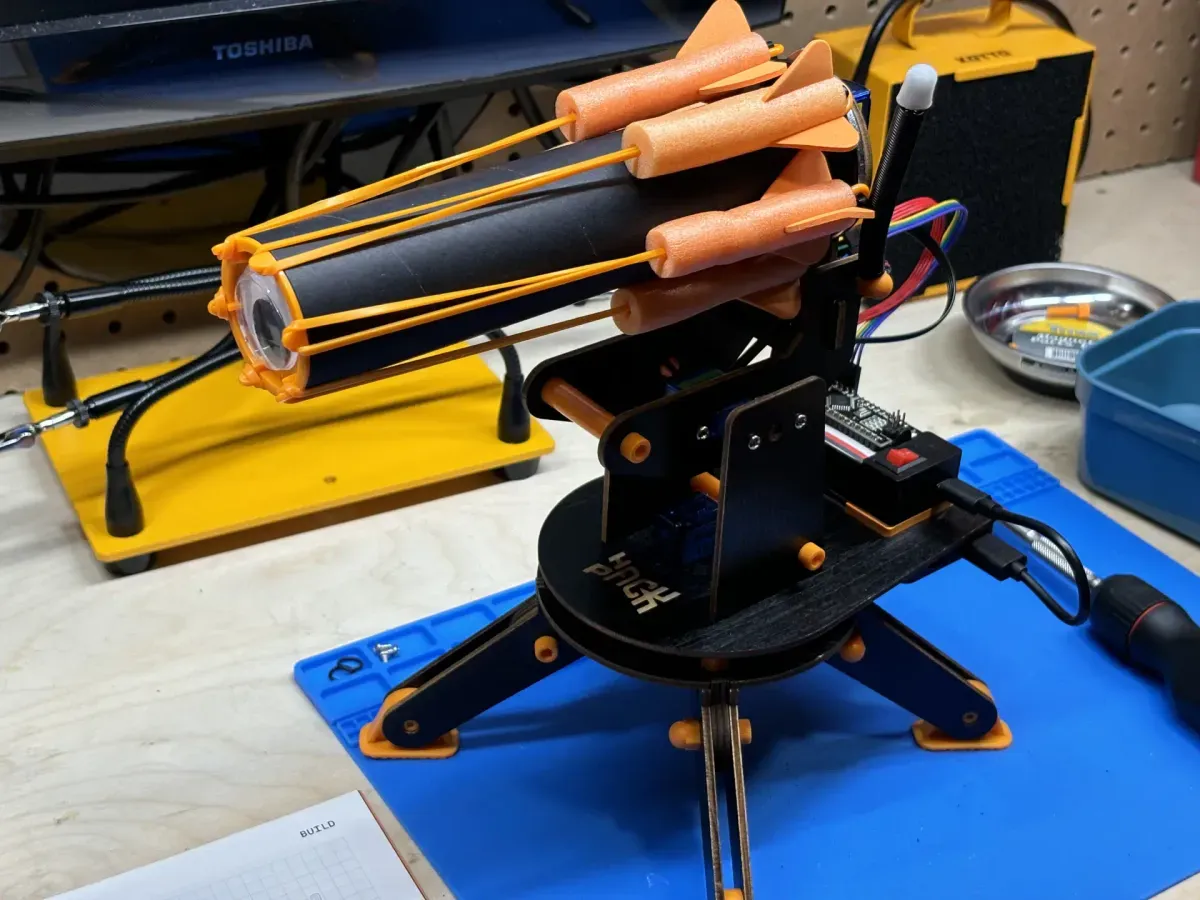
The IR Turret (shown above) remains the strongest introduction to Hack Pack because it keeps the relationship between code and behaviour easy to follow. The event loop is simple, the inputs and outputs are clear, and each change produces an immediate result. The builder can see the turret rotate, detect an infrared signal, and fire a foam dart without first having to understand a complicated mechanical system. It also benefits from an obvious advantage: shooting foam darts is engaging. That gives the programming lesson a reward that is immediate enough to encourage experimentation.
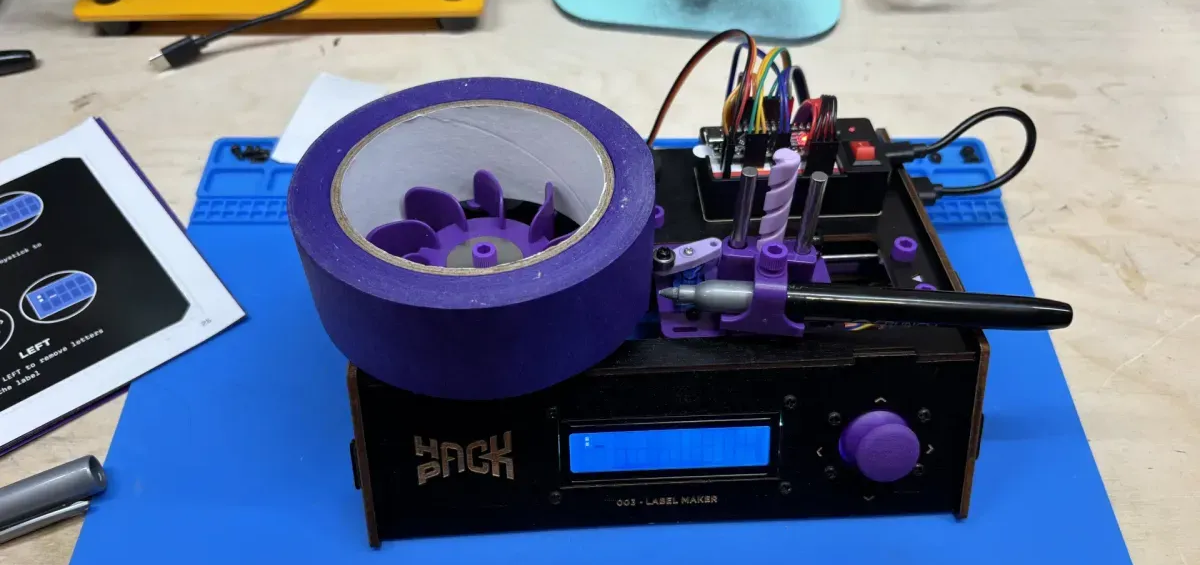
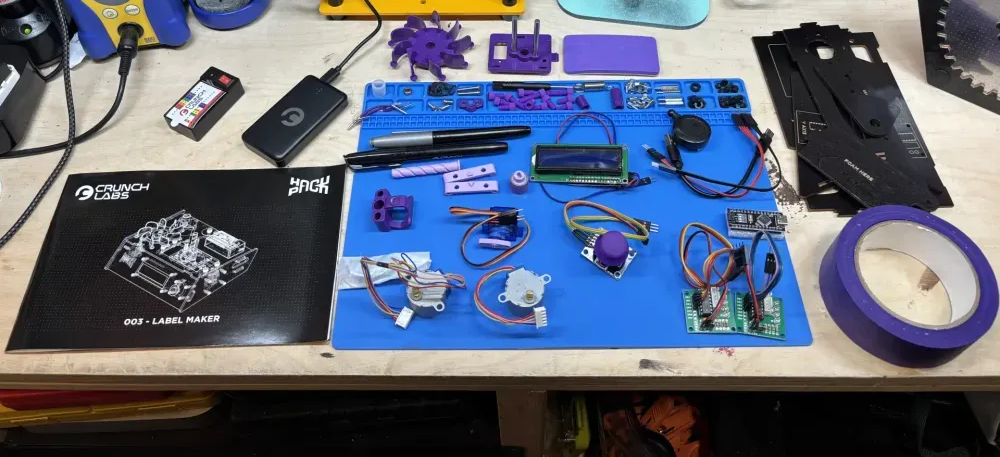
The Label Maker expands the technical vocabulary without making the code too difficult to approach. It introduces several motor types, each chosen for a different mechanical purpose, and shows how those motors can work together inside one machine. The joystick also provides a familiar input that makes the project feel responsive from the beginning. Its behaviour remains understandable enough that the builder can connect a movement on the joystick with a specific motor response, then trace that relationship back into the code.
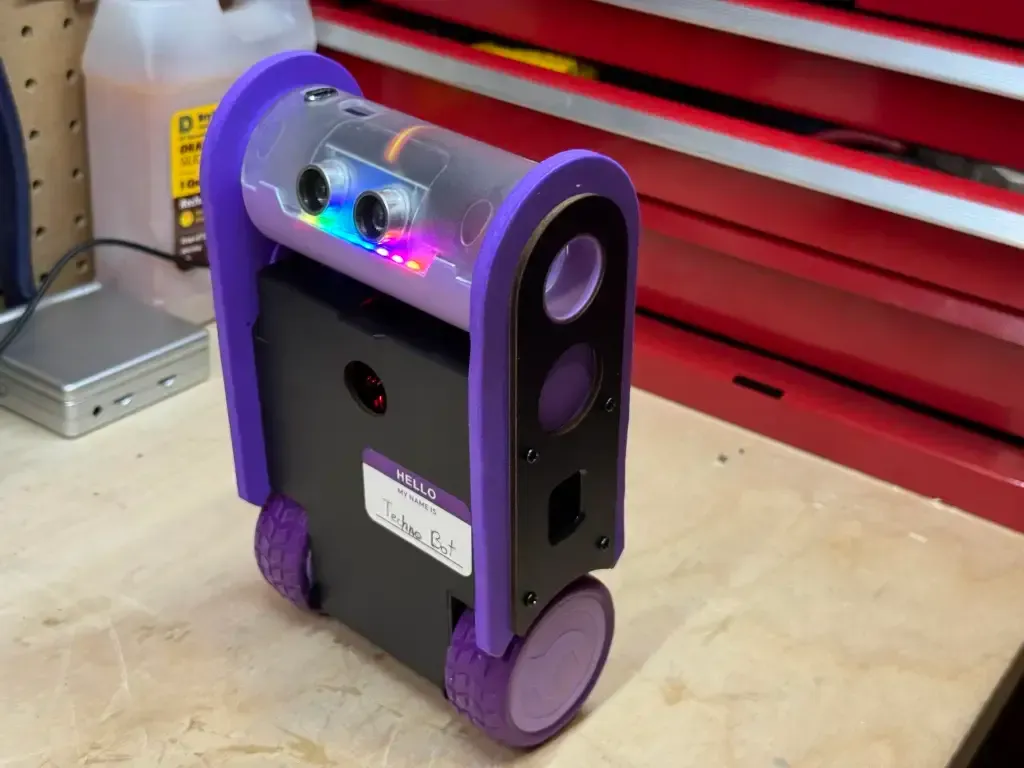
The Balance Bot is the most advanced of the six, but it earns that complexity by introducing a genuinely autonomous robot. Instead of waiting for a button press or joystick movement, it continuously reads its own orientation and corrects its balance. The MPU6500, motor driver, and motherboard-style design also show that the main Arduino-compatible controller does not have to perform every task alone. Sensors measure movement, supporting boards manage power and motor output, and the controller coordinates the system.
An Uneven Learning Experience
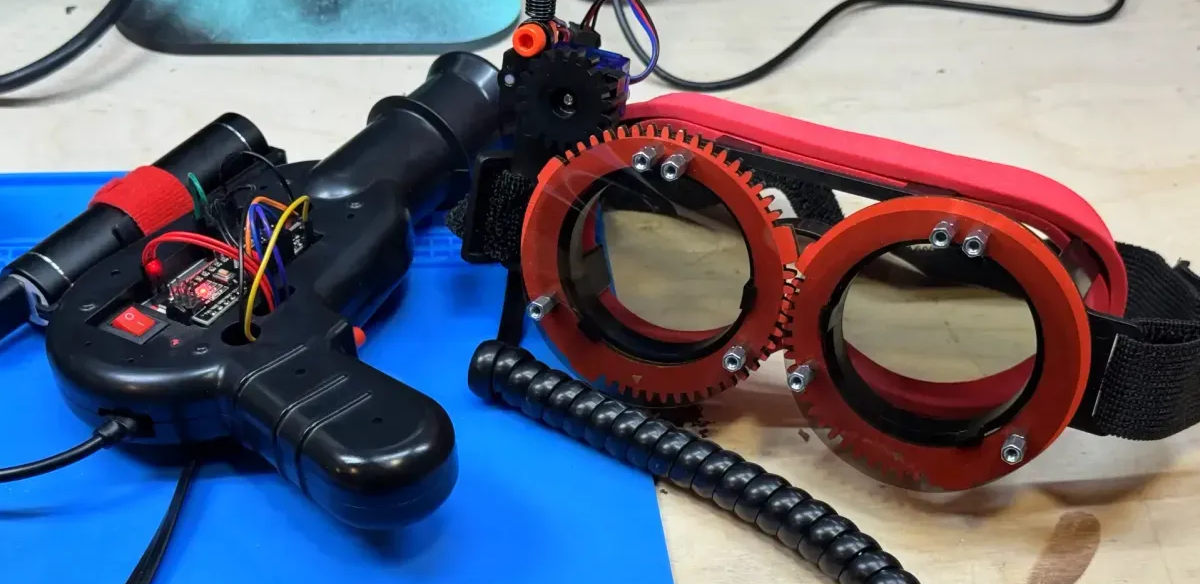
The Laser Tag kit offers an engaging premise, but its educational contribution feels limited compared with the previous projects. Infrared communication had already been introduced by the IR Turret, while the lens intended to extend the signal bounces the infrared light unpredictably around the room. The goggles add another layer of assembly and electronics, but the polarizing filters contributed little to the core lesson. A simpler pistol with an onboard display could have preserved the game while making the scoring system easier to understand and use.
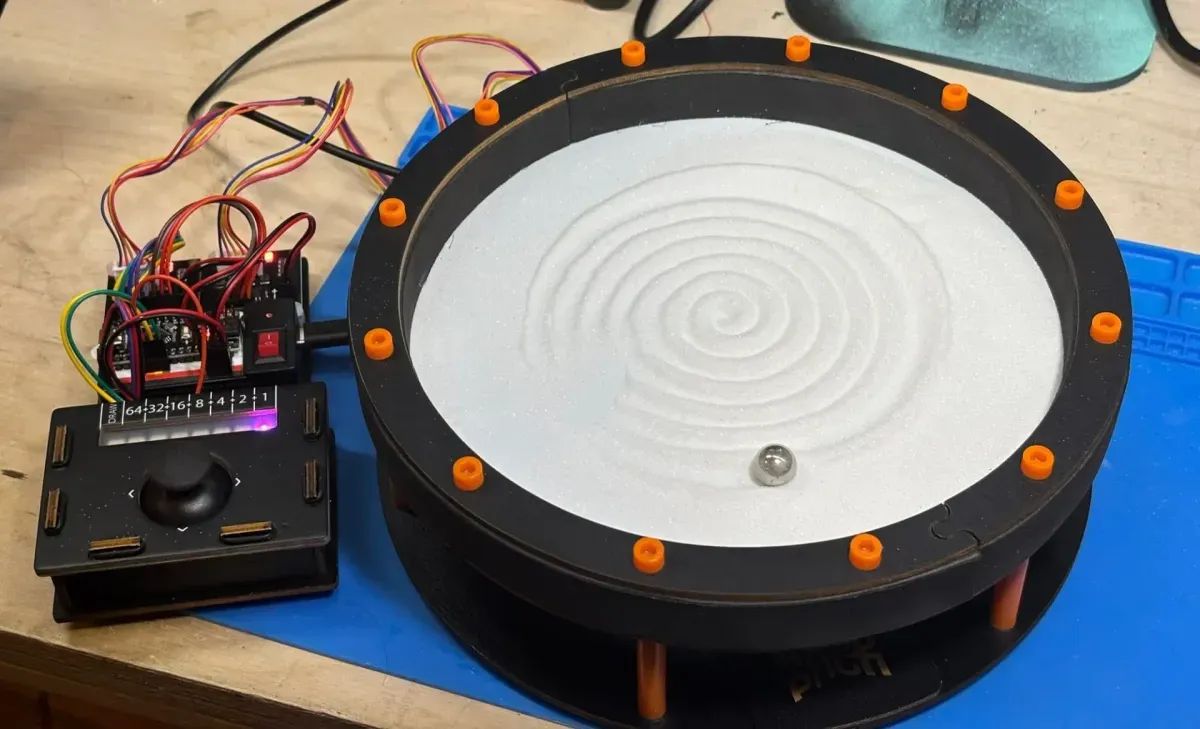
The Sand Garden (also shown above) produces one of the most impressive visual results in the first year, but the mathematics behind its movement creates a steep barrier to experimentation. Its radial coordinate system is difficult to follow, which makes even modest changes to the drawing behaviour challenging. That complexity is not inherently inappropriate, but it feels poorly placed in a program that assumes no previous coding or advanced mathematics. The use of loose sand also makes the finished project difficult to store, transport, and revisit without creating additional cleanup.
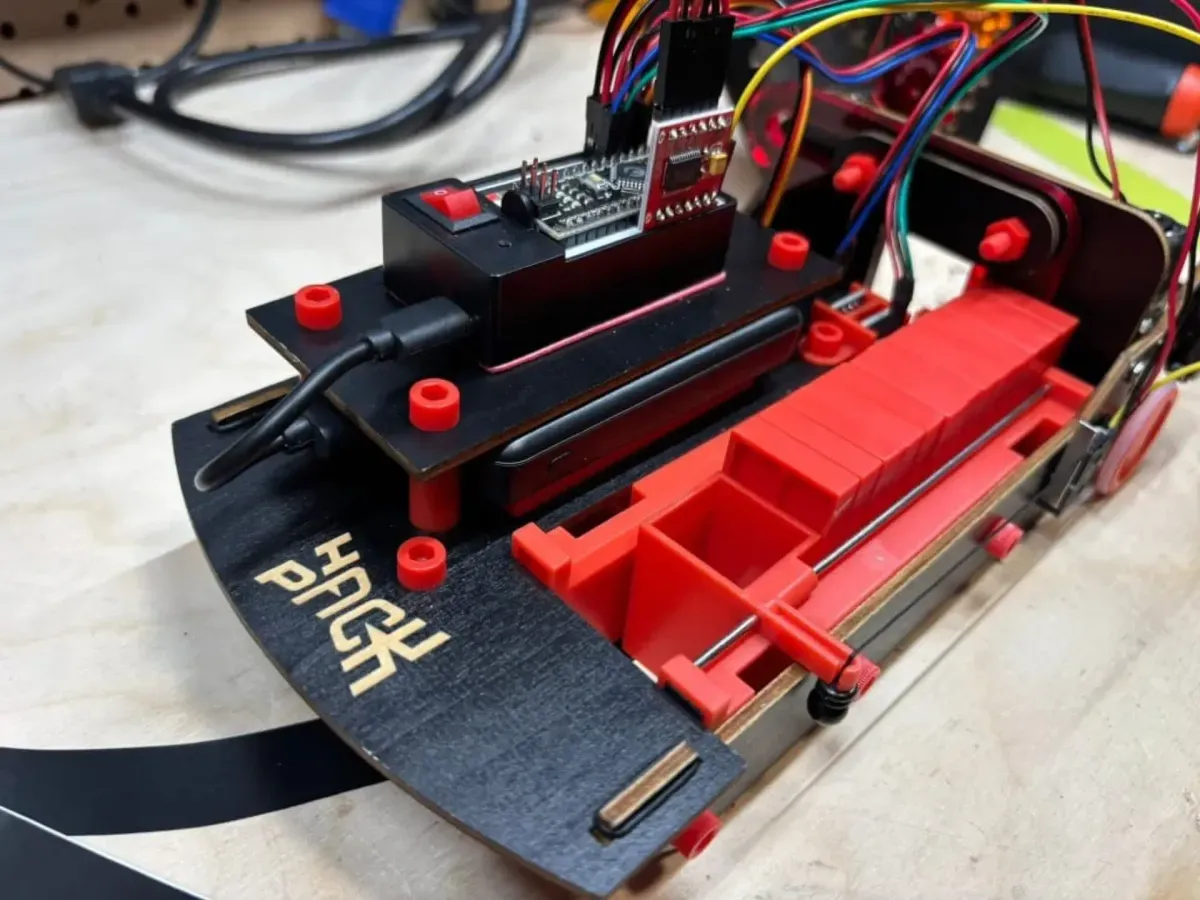
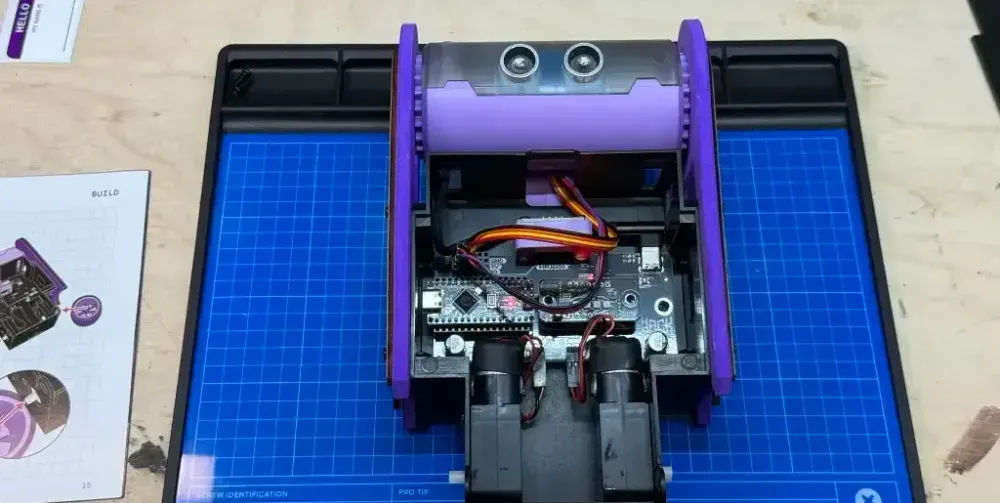
The Domino Robot contains a strong project inside a weaker one. Its line-following system introduces an interesting robotics problem, requiring the machine to read a path and continually adjust its direction. That concept could have supported a complete kit on its own. Instead, the domino-laying mechanism adds a second mechanical challenge that is difficult to load, prone to jamming, and limited by a small capacity. Even when it works correctly, the robot runs out of dominoes quickly, overshadowing the more valuable line-following system.
Revising the First Year
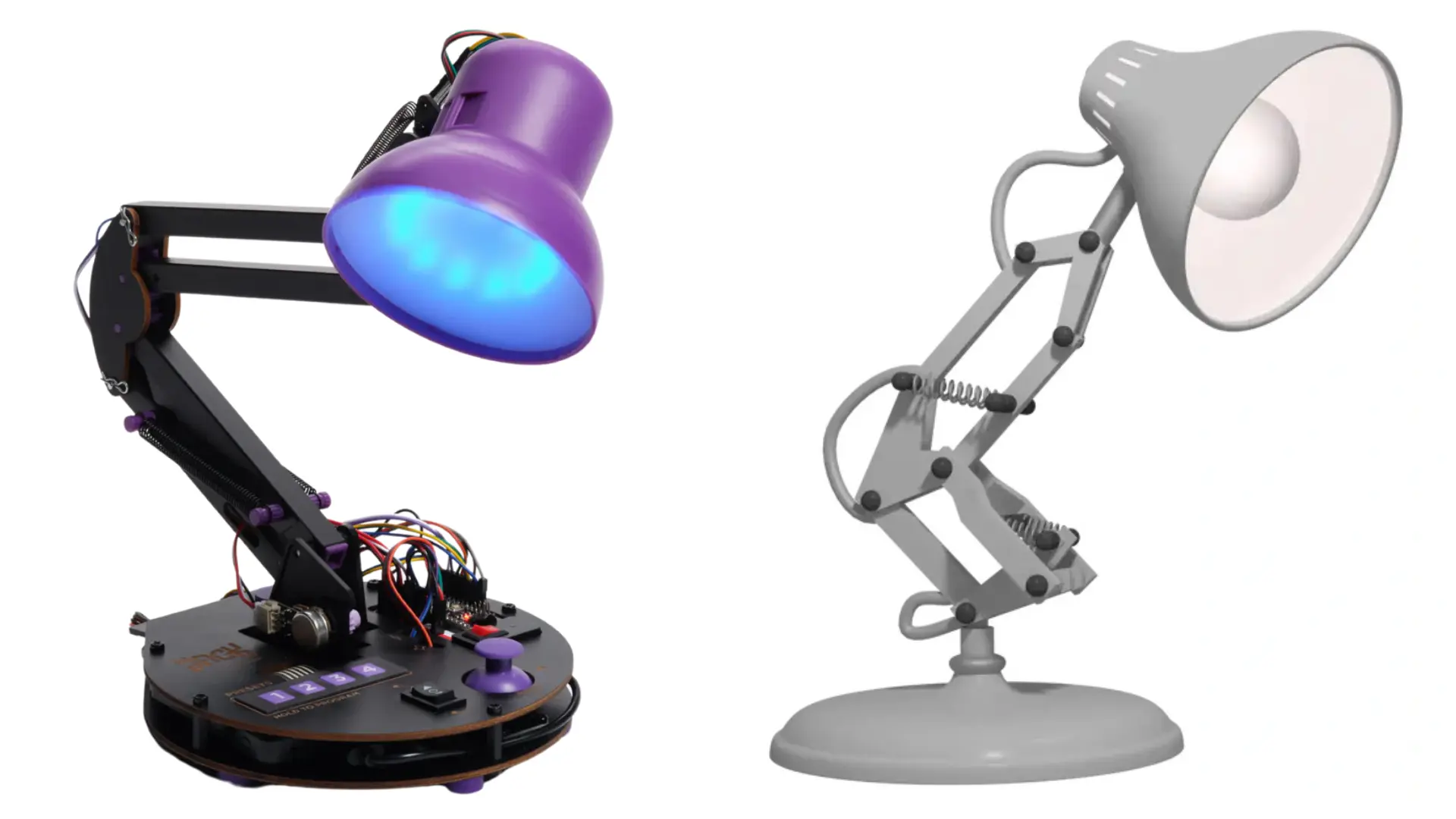
It is important to mention that CrunchLabs has since changed the Year 1 lineup. The IR Turret, Label Maker, and Sand Garden remain, while Laser Tag, the Domino Robot, and Balance Bot have been replaced by the Laser Synthesizer, Omnibot Forklift, and Animated Lamp. The order has also changed, with the Sand Garden moving from the fourth box to the fifth. The team at CrunchLabs had mentioned that the order was always subject to change, as it seek to improve the overall experience.
The new lineup places greater emphasis on projects with an immediate and easily understood result. The Laser Synthesizer connects movement and light with sound, while the Omnibot Forklift turns motor control into a machine that can move in several directions and manipulate objects. Both offer a clear physical response that can draw attention before the builder fully understands the electronics or code underneath. The Animated Lamp provides a recognisable way to close the year because its form closely resembles the Pixar lamp. That familiarity gives the project an emotional connection before the builder knows anything about its hardware or code.
The changes also align with several conclusions from the original six kits. Laser Tag and the Domino Robot, the two weakest projects in this retrospective, are no longer part of the first year. The Sand Garden remains, but appears later in the sequence, reflecting the challenging nature of the development. This revised lineup should offer a smoother balance between engagement, educational value, and accessibility.
Is Hack Pack Worth It?
Hack Pack provides a strong introduction to robotics. The projects are polished, with guided assembly, working code, and room for experimentation, removing much of the friction that can stop a beginner. Other platforms may offer a cheaper or more flexible introduction, but often with a significant increase in complexity. For someone with a strong interest in robotics, the first year provides considerable value and a solid purchase.
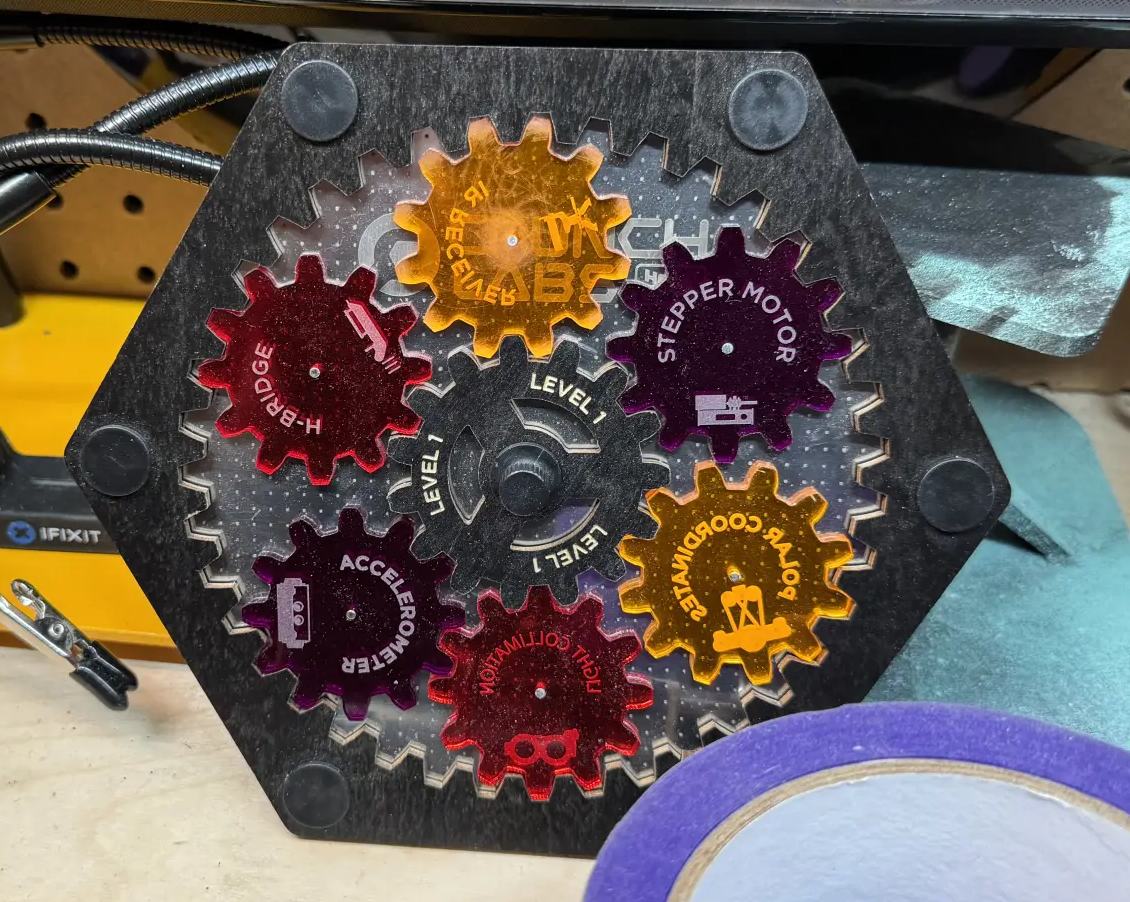
At the same time, a full-year subscription is too expensive as a way to discover whether that interest exists. CrunchLabs appears to understand this and has started experimenting with the sale of individual kits. Although they are not always available, these standalone options provide a more practical and affordable way to try the programme.
Looking Back at the First Year
The first year of Hack Pack shows how effectively robotics can be introduced through complete, engaging machines. The strongest kits make their lessons easy to see and accessible to modify, while the weaker ones reveal where complexity can overtake the learning experience. The revised lineup suggests that CrunchLabs is continuing to refine that balance, placing more emphasis on projects with a clear payoff and a smoother progression.
Can you think of a robotic project that had a lasting experience on you? Share your thoughts in the comments. And you haven't had a chance yet, check out a complete look at each of the HackPack currently reviewed so far.