Printing a 3.7 Litre Game Console
A 3.7 L printed case, an old Core i7, and Batocera Linux became an exercise in fitting a complete game console into as little space as possible.

Building a small-form-factor PC (SFFPC) is an exercise in compromises. The choice of components, cooler clearance, cable routing, and even the shape of an I/O shield can determine whether a build works at all. This project pushed those constraints further by using the 3.7 L APU version of the ModCase Evolution, the smallest printed PC case used on Technodabbler so far.
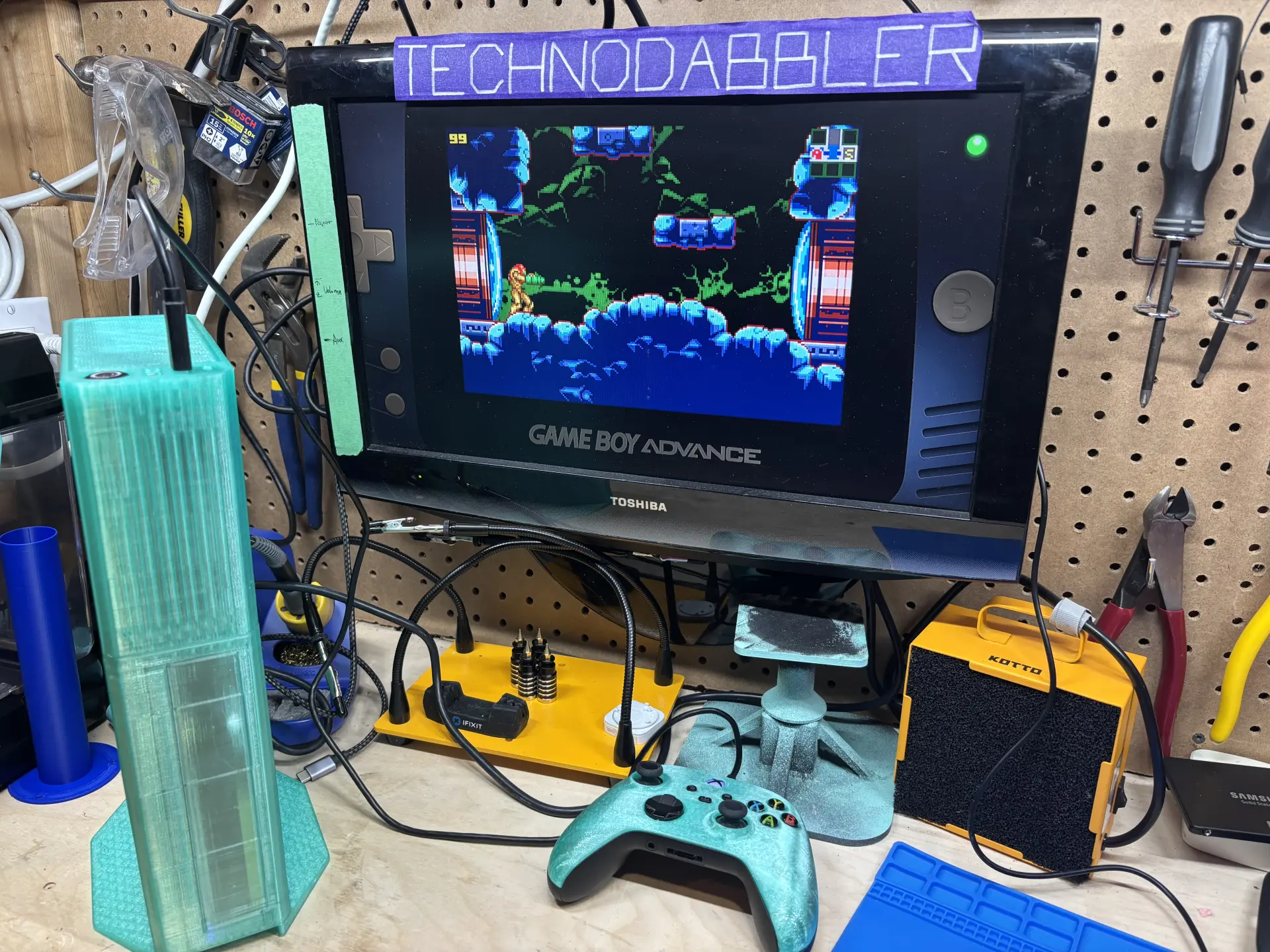
The goal was to build something akin to a game console: integrated graphics, minimal cabling, and enough performance for emulation of early consoles. The enclosure is printed in translucent PETG, drawing inspiration from the translucent Nintendo 64 consoles, giving it a truly vintage feel.
Starting With the Obvious Hardware
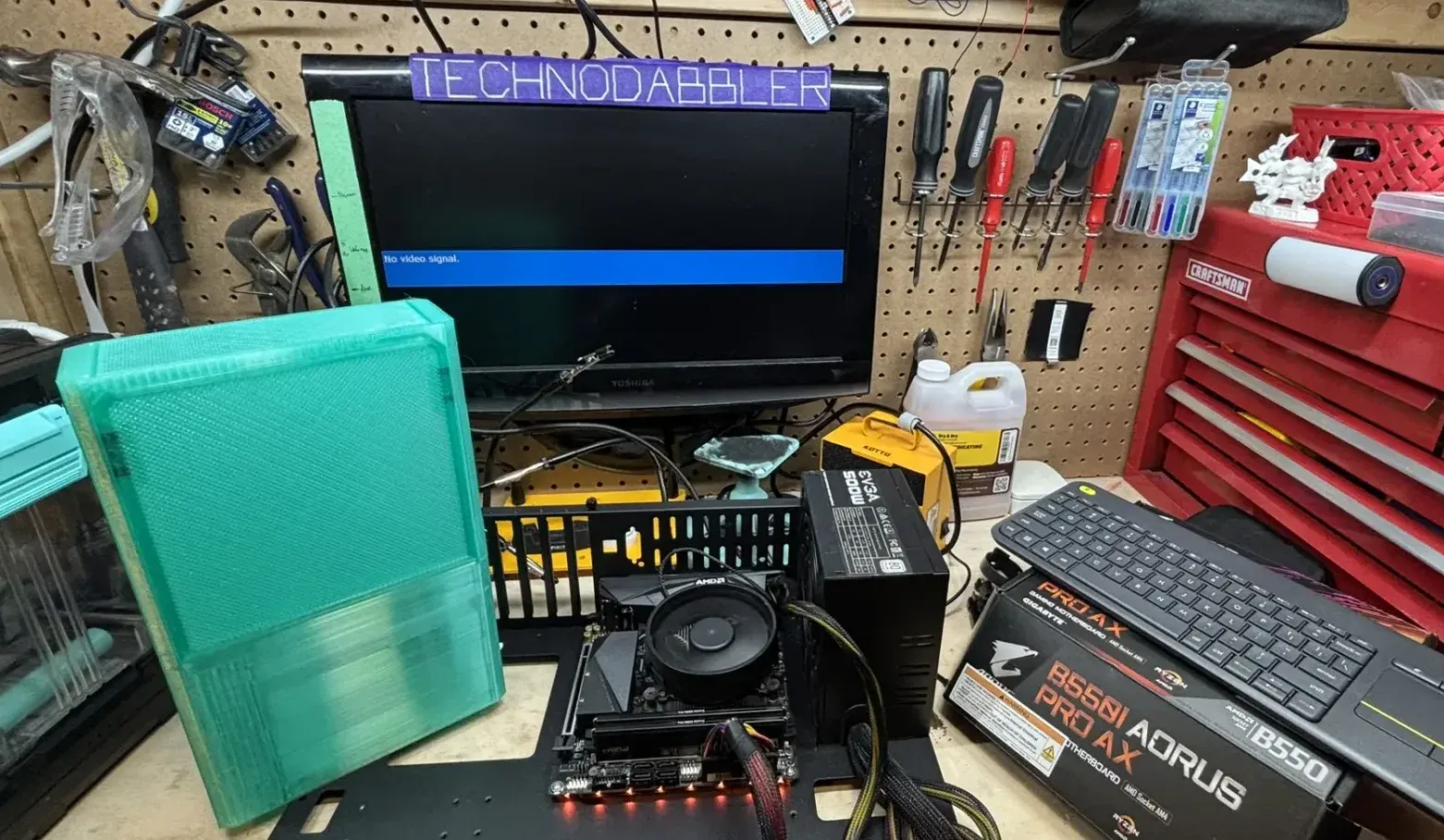
The original configuration used a GIGABYTE B550I AORUS PRO AX motherboard, a Ryzen 5 5600G, 16 GB of low-profile DDR4 memory, and a 1 TB NVMe SSD. The components were purchased for another project, but they seemed like the perfect combination for a console SFFPC. The 5600G provides integrated graphics, the NVMe drive requires no data or power cables, and the Mini-ITX board keeps the entire platform within a small footprint.
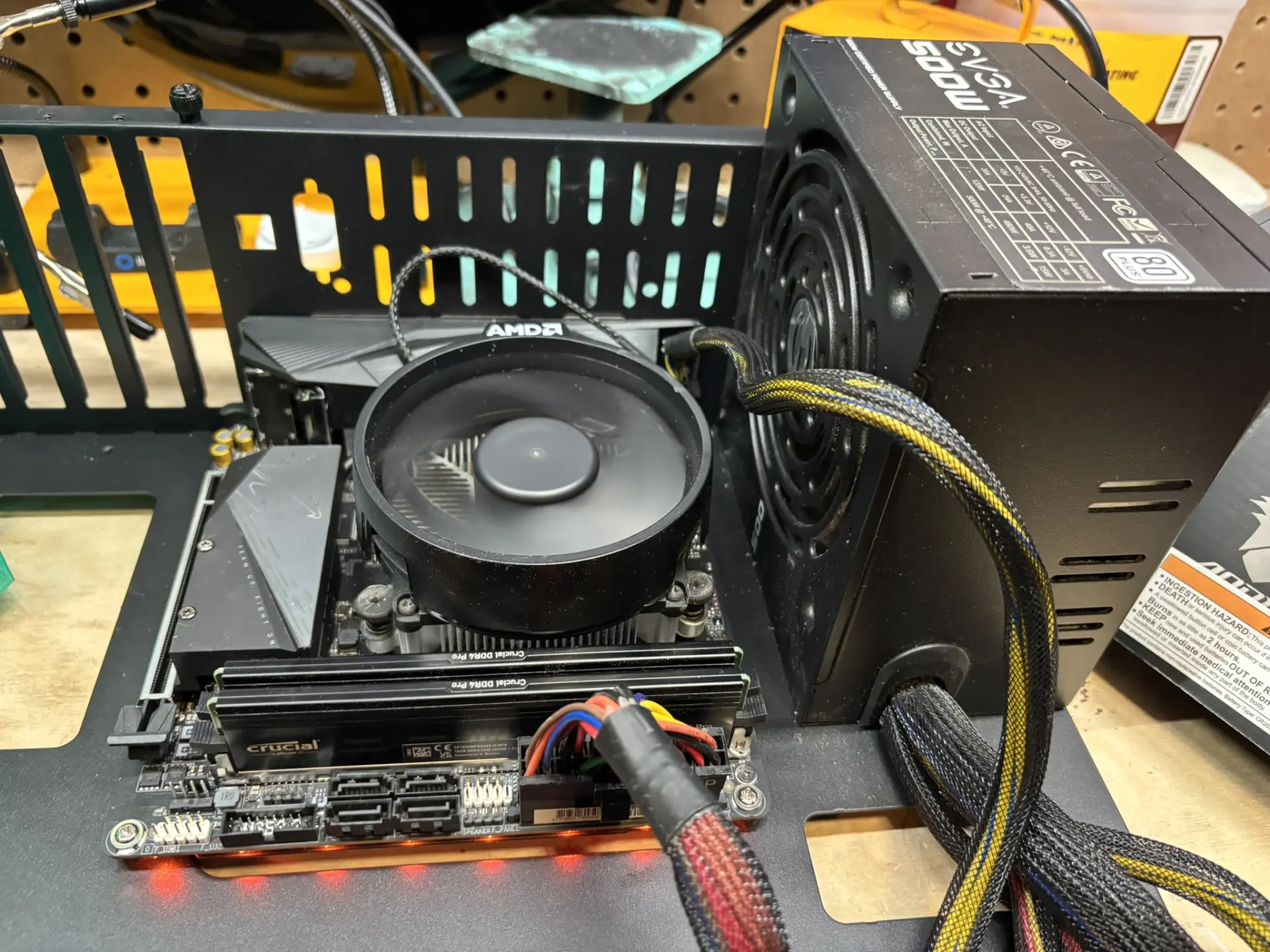
Everything was assembled on the test bench first. The system posted correctly, the memory and SSD were detected, and the hardware was tested with Batocera. Testing outside the case is always a good idea, but it’s especially important in a small build, where reaching a connector later can require removing several other components.
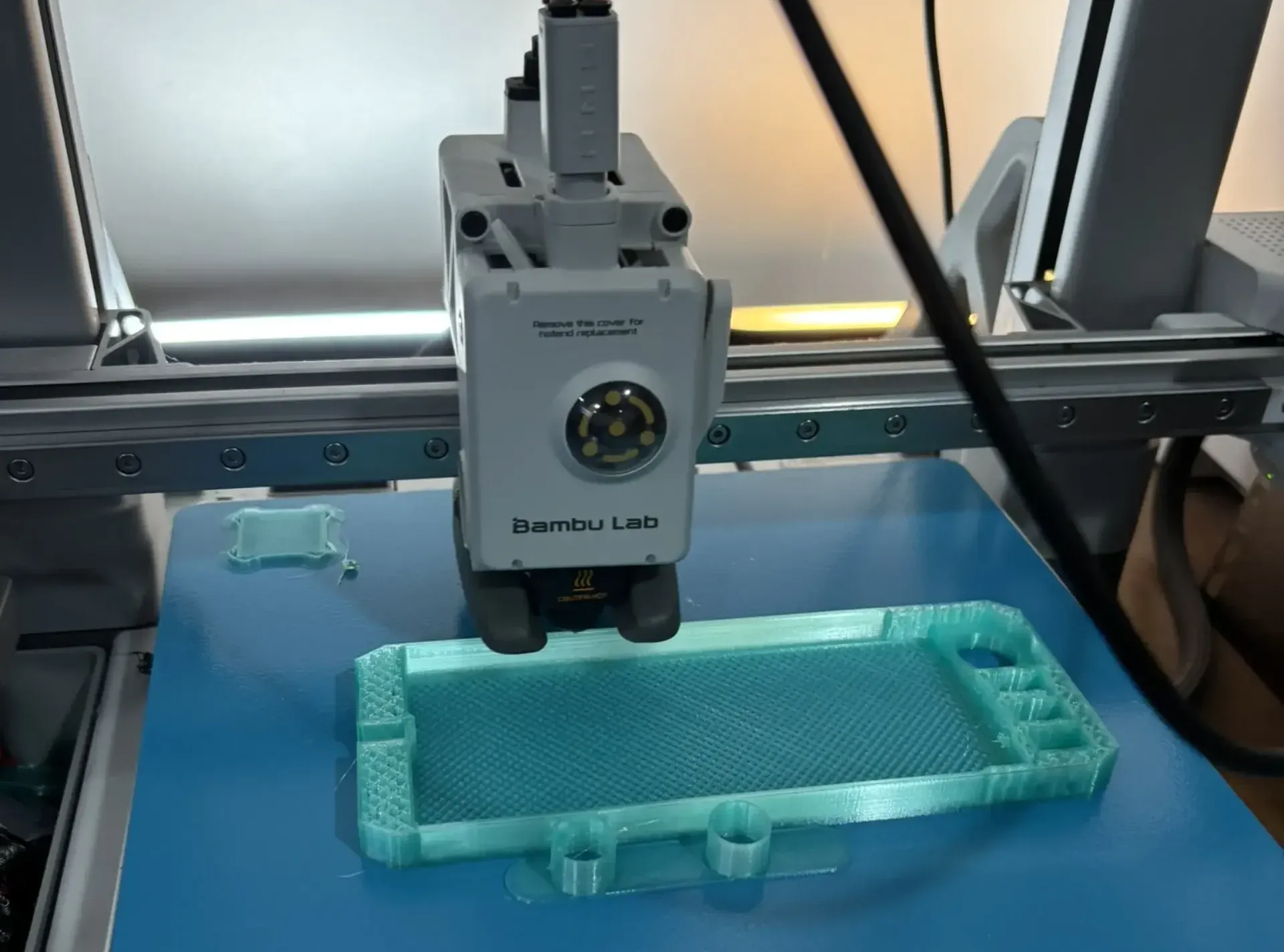
The ModCase Evolution might seem familiar from the earlier printed PC project, but the APU model shrinks the design considerably. With the enclosure largely made from two large printed sections, the build would hopefully be easier to assemble. It was not.
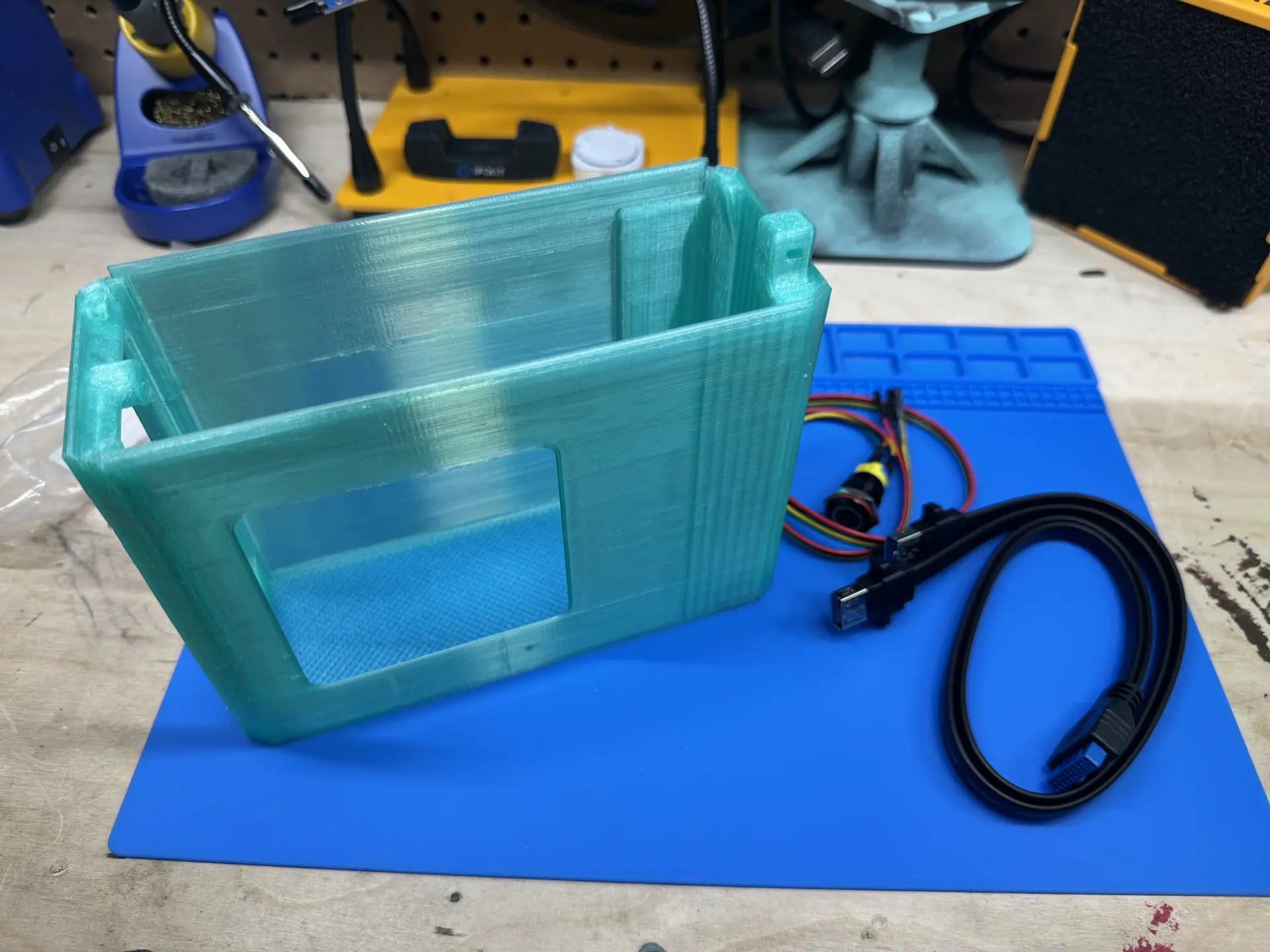
The translucent PETG worked particularly well for this build. Light passes through the walls unevenly, and some of the internal hardware can be seen through the enclosure. The result does not try to disguise its manufacturing process, but celebrates it, which is fitting for a case that came directly from a 3D printer.
The First Configuration Did Not Fit
The first test fit immediately exposed two problems: the stock AMD cooler extended beyond the available height, and the board did not fit in the holding clip built into the case.
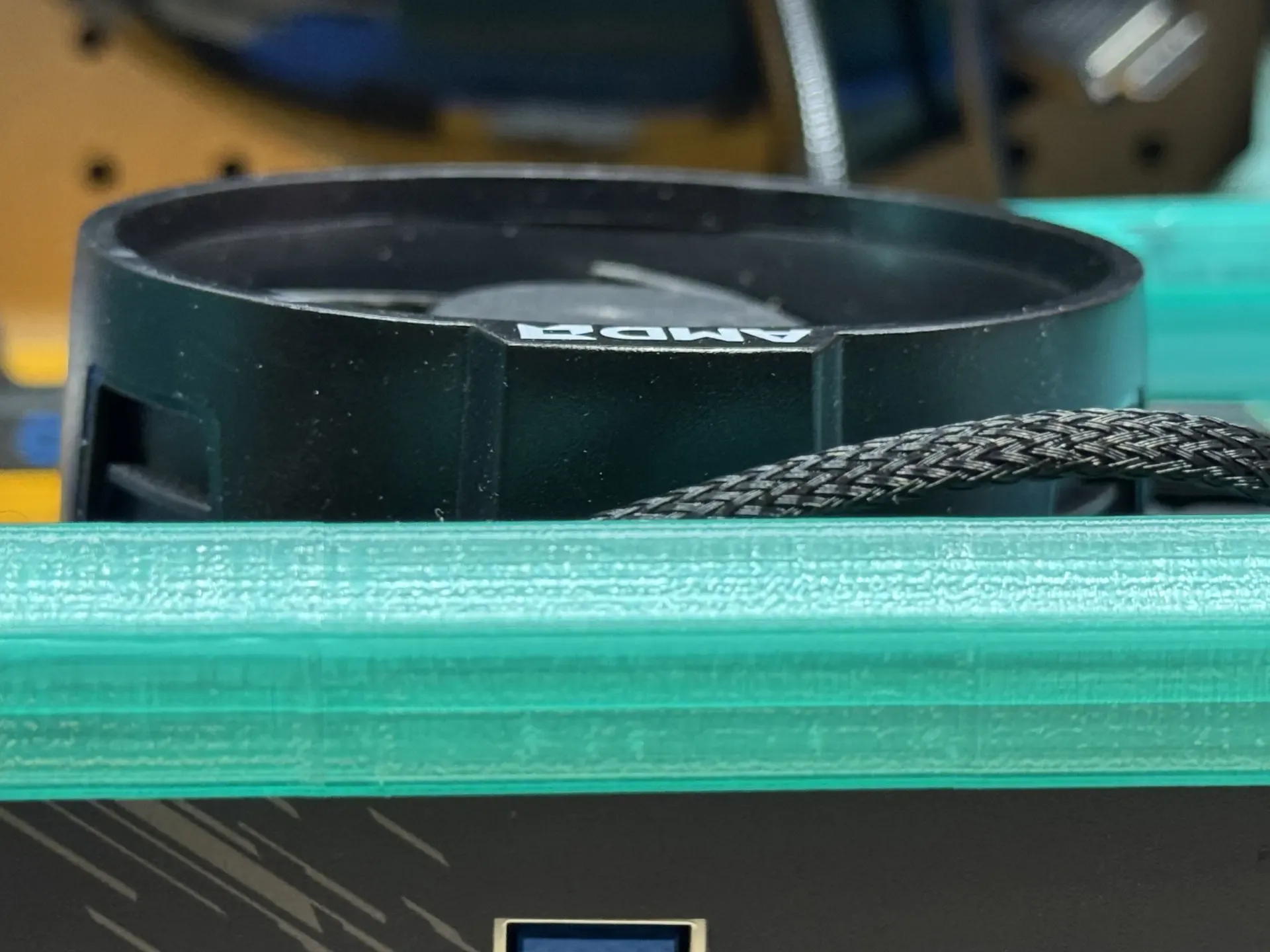
To be fair, we never expected the stock cooler to clear the height requirement of this build. The gold standard for low-profile builds is the Noctua NH-L9 series. Thermalright also provides another strong contender with the AXP90. Regardless, we were going to need a new cooler.
The second problem was more of a deal breaker. The ModCase holds the board in place using clips printed in the case itself. The integrated I/O shield on the GIGABYTE board has a raised section around one corner. During a test fit, we discovered that small protrusion prevented the board from sitting properly inside the enclosure.
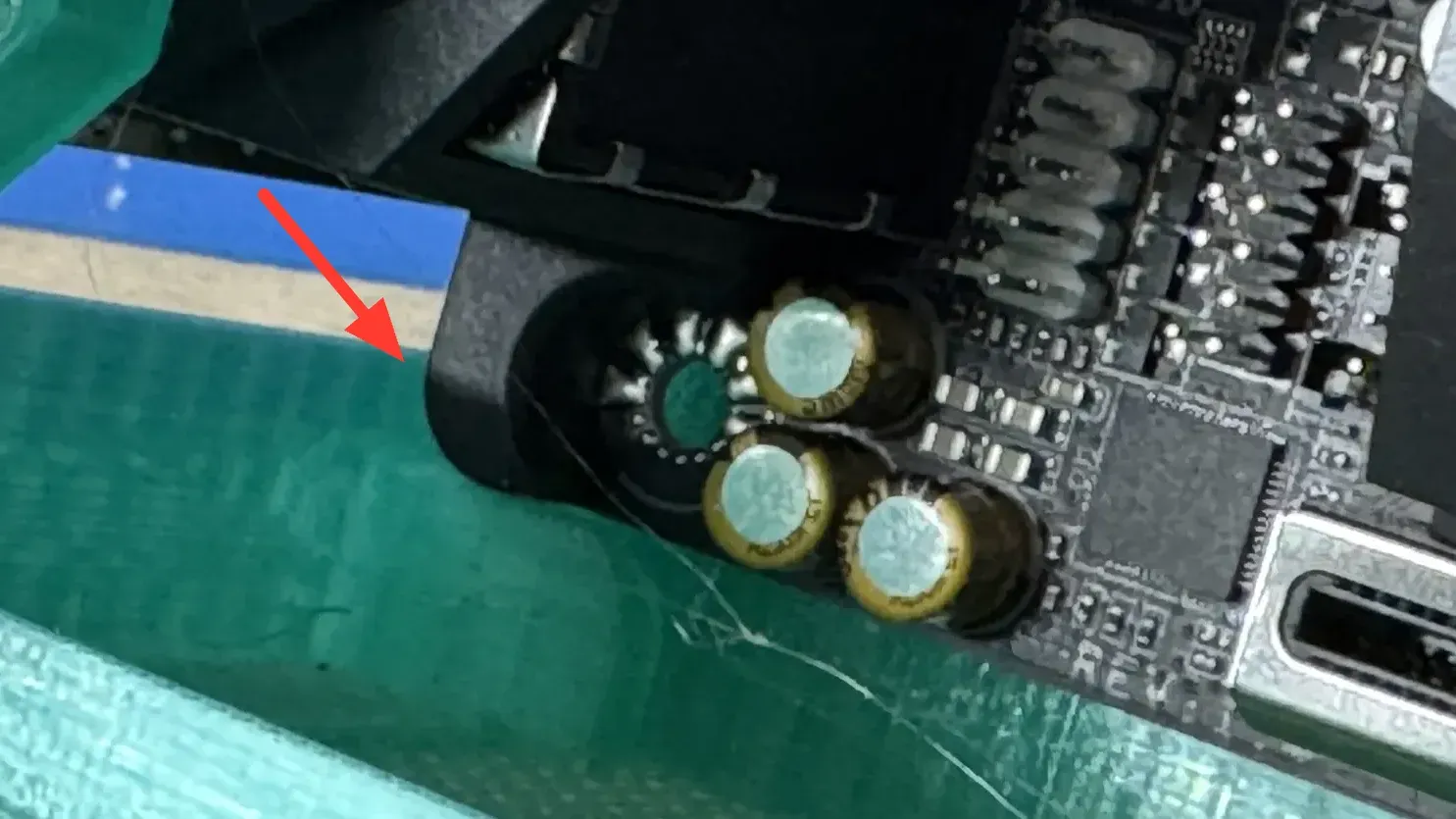
The case could have been modified, either by removing material or altering the holding clip, but another Mini-ITX platform was already available. That system used an Intel Core i7-4790 and an older ASUS motherboard, and the board fit the enclosure without requiring any changes.
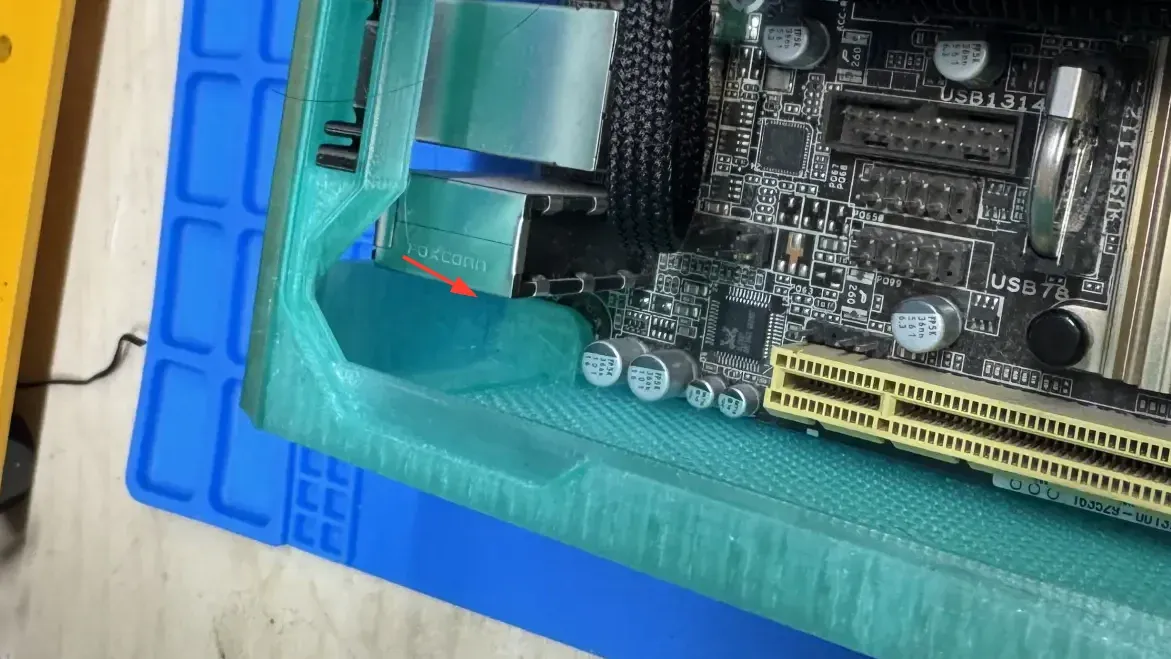
The Ryzen 5 5600G offered substantially more performance, but this SFFPC was never intended to become a general-purpose gaming PC. For the consoles and arcade systems targeted by the build, the i7-4790 already provided enough performance. Using the older hardware also avoided modifying the case around a newer motherboard whose additional performance was unlikely to change how the finished system would be used.
Finding a Cooler Short Enough
Changing platforms solved the motherboard clearance problem, but not the cooler height. The enclosure still required something substantially shorter than a conventional desktop cooler, particularly if we wanted the top panel to close. The i7-4790 is an 84 W processor, so cooling was a real consideration. There is also little unused volume around the CPU socket, which limits how much air can move around the cooler before reaching another component or the side of the enclosure.
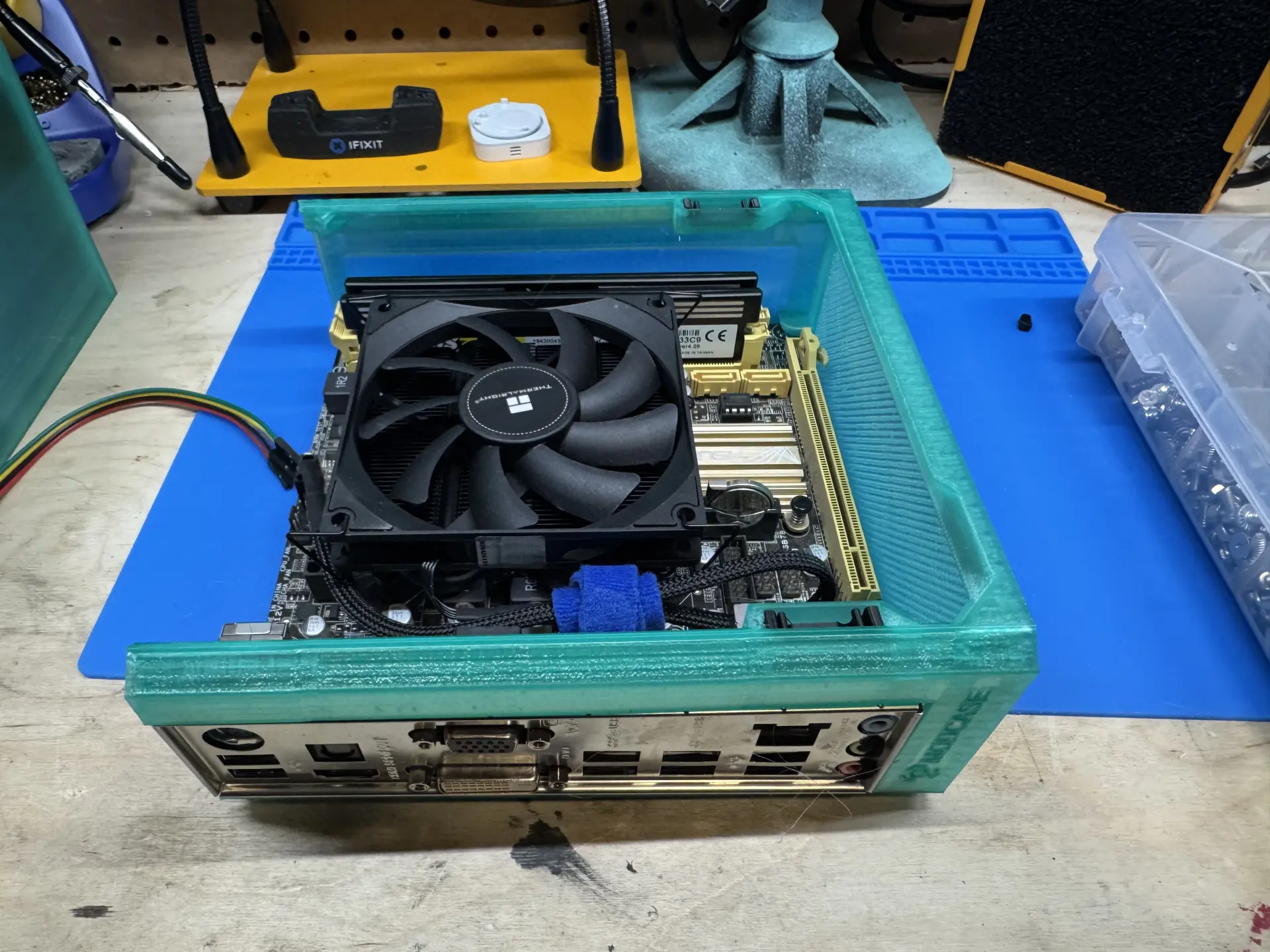
The Thermalright AXP90-X36 low-profile cooler was selected for the job. At approximately 36 mm tall, the entire heatsink and fan assembly remains below the top of the case while providing considerably more cooling capacity than the tiny coolers often used in ultra-small systems.
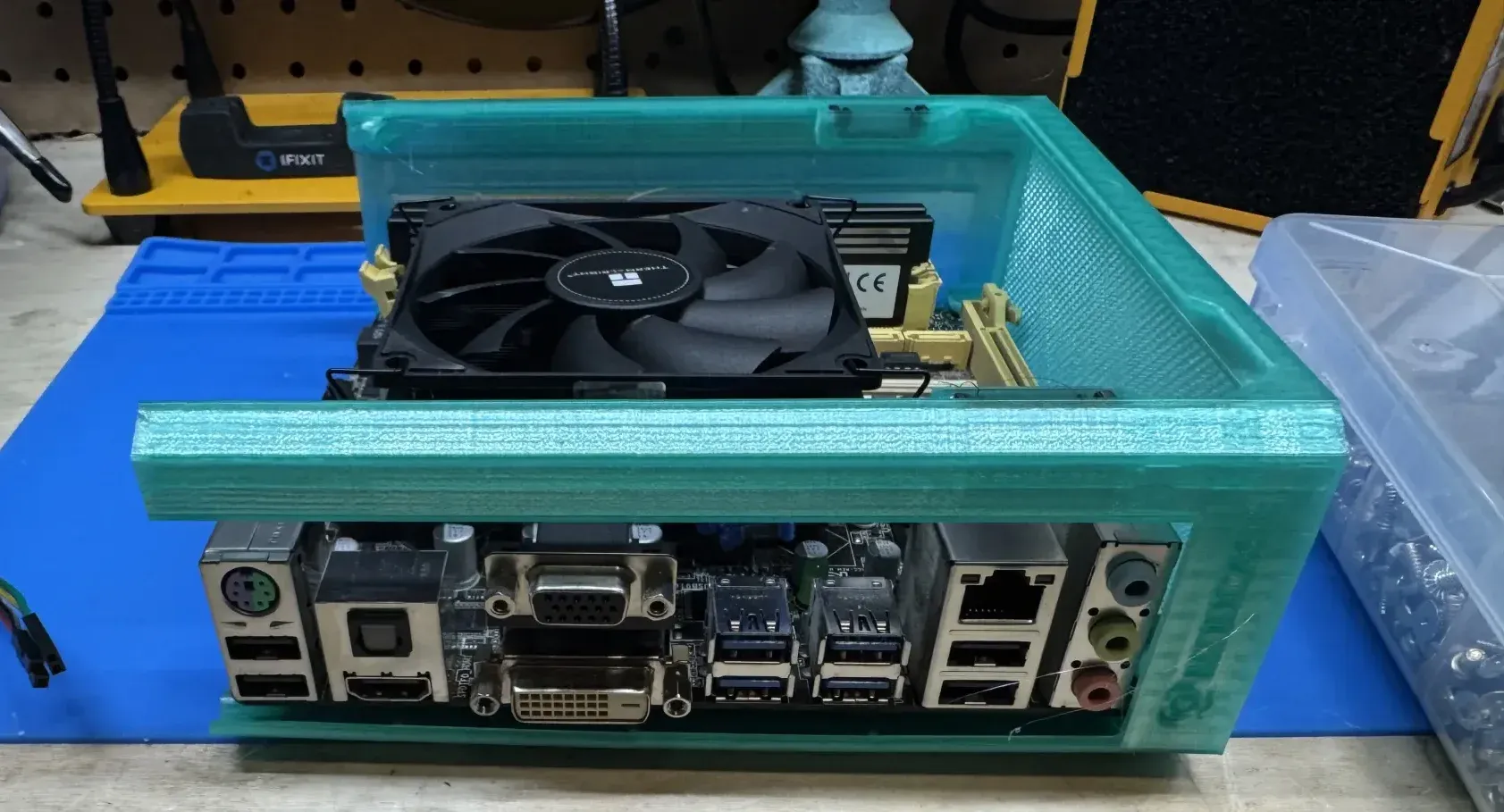
The fit is close enough that a few additional millimetres of cooler height would have prevented the case from closing. Although anyone can find the dimensions of small-form-factor components, compatibility is only determined while test fitting.
Storage Without Room for Storage
The switch to an older motherboard introduced another problem. The board predates onboard NVMe storage, removing our space-saving storage solution.
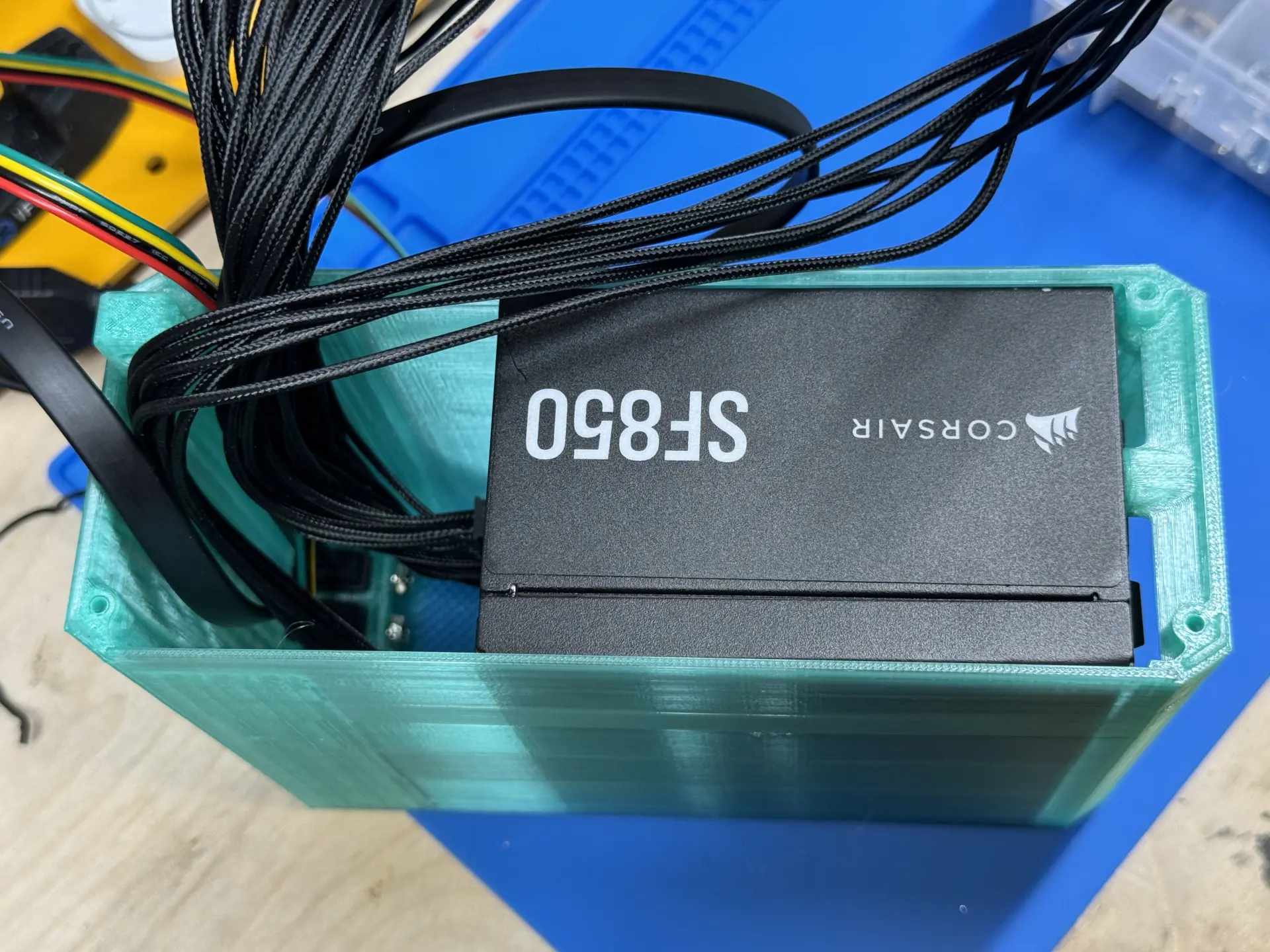
A 2.5-inch SATA SSD seemed like the obvious replacement, and the drive itself was small enough to fit somewhere inside the case. The problem appeared once the rest of the storage system was considered. A SATA SSD also needs a data cable and a power cable, and the SFX power supply already occupied most of the remaining volume.
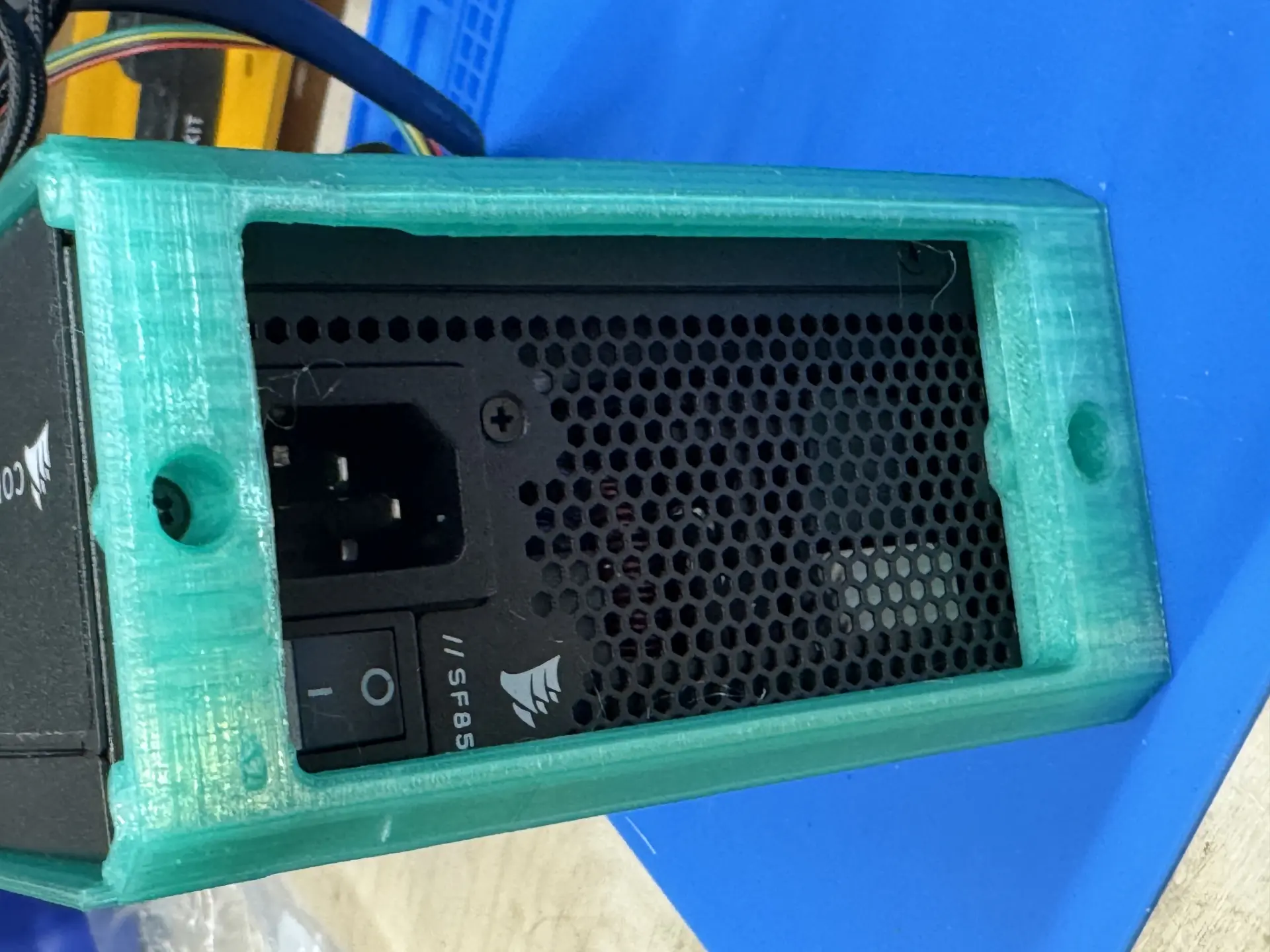
The power supply used for the project was modular, which means adding a cable was a choice. Every cable needed to fit somewhere inside the case. Adding another power lead for a SATA SSD would have made an already dense cable bundle harder to route around the CPU cooler and motherboard.
That said, the motherboard headers suggested a different path. Batocera, our operating system of choice for this console project (see below), is already optimized to run on an SD card, as it supports different single-board computers (SBCs) like the Raspberry Pi. A small internal USB adapter can connect directly to a standard USB 2.0 header and provide a microSD card slot. The adapter receives both power and data through the motherboard, eliminating the SATA power cable, SATA data cable, and 2.5-inch drive mount at the same time.
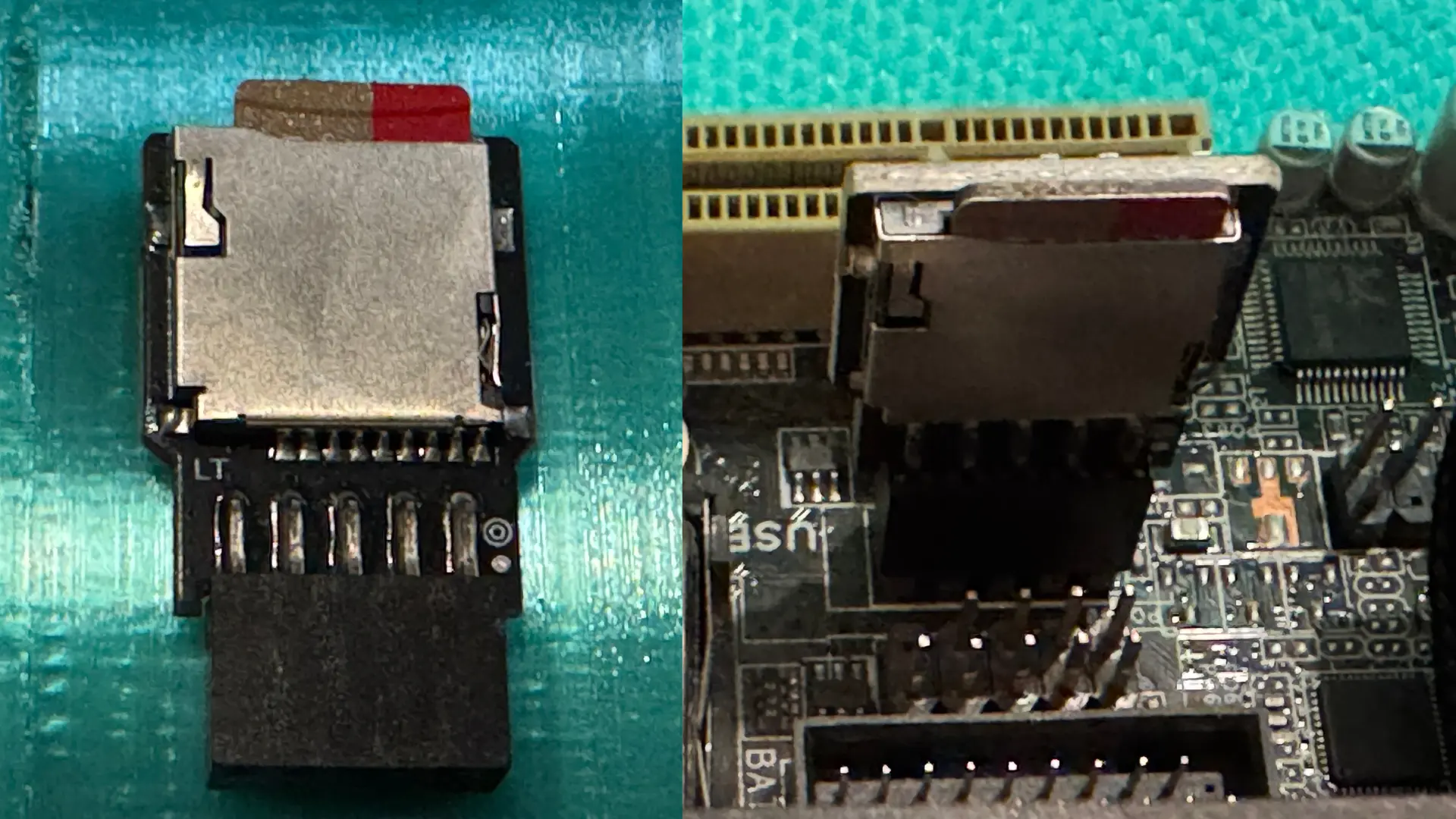
In a larger PC, an SSD would be the straightforward choice. In this enclosure, removing two cables was more valuable than adding storage performance that the system was unlikely to notice during normal use.
Filling the Last Few Litres
Final assembly turned the remaining space into cable storage. The motherboard, cooler, power supply, and USB storage adapter all fit individually, but the connected PSU cables still had to be routed without obstructing the CPU fan or preventing the upper case section from closing.
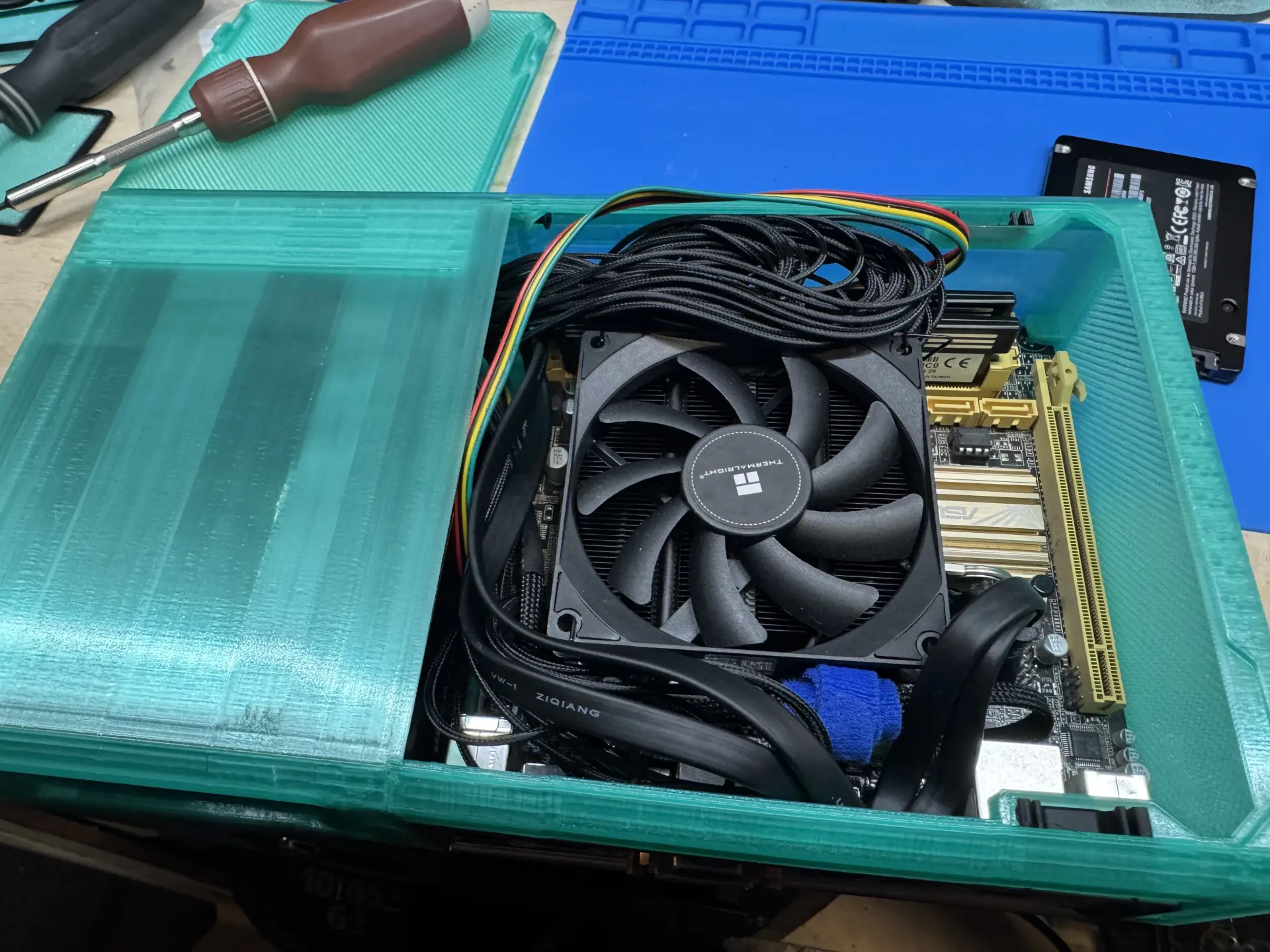
There is little room for conventional cable management. Instead of hiding wires behind a motherboard tray or along a dedicated channel, the cables occupy whatever spaces remain between components. Several loops of cables sit above the motherboard simply because there is nowhere else for them to go.
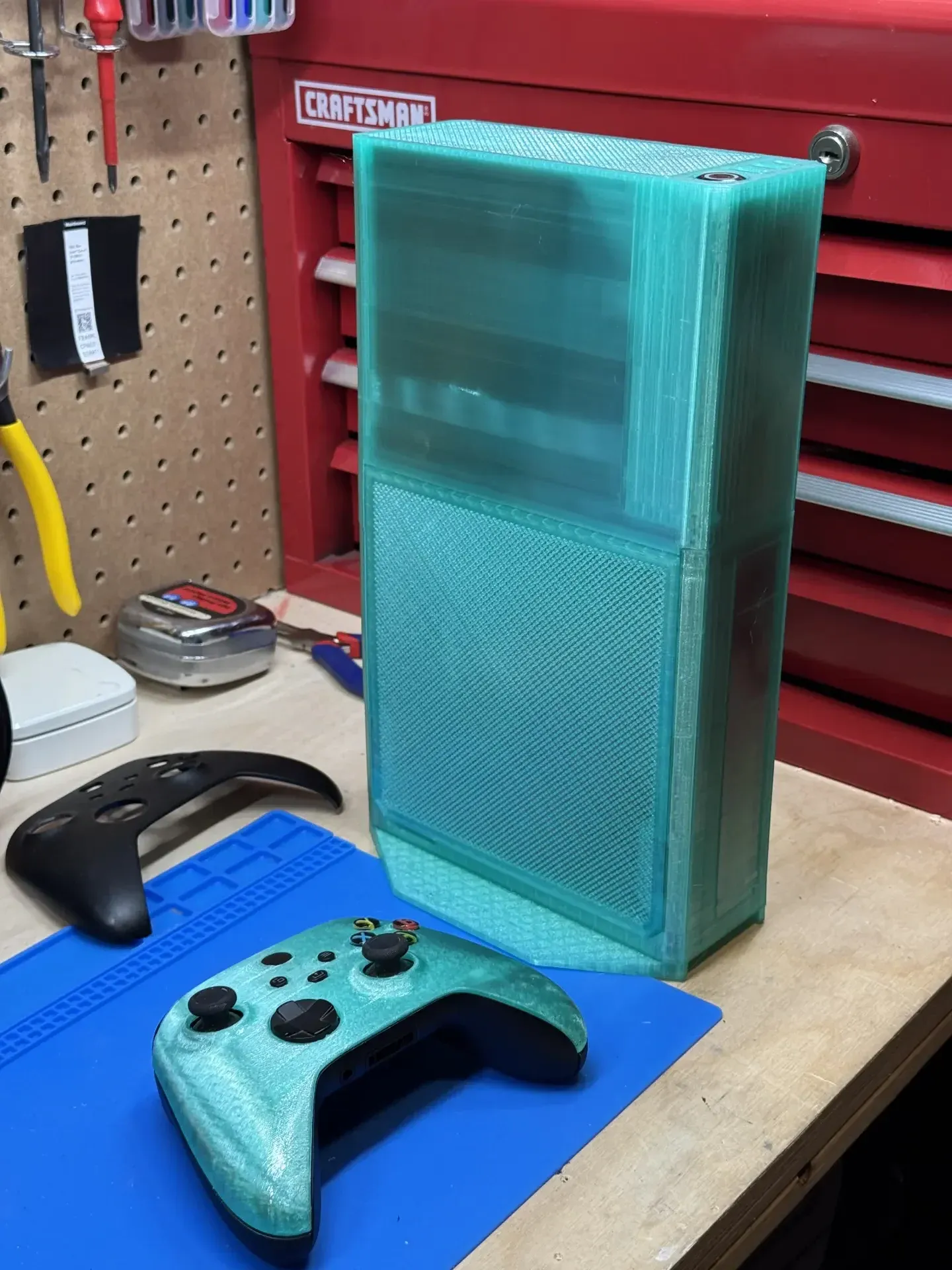
Final assembly, especially cabling, turned out to be the biggest challenge of this project. There simply isn't enough space in 3.7 L to do proper cable management. After meticulous planning, the optimal solution was to simply stuff the cables away from the fan and close the case.
Using Batocera as the Console Interface
Batocera.linux completes the shift from compact PC to game console. It is an open-source Linux distribution dedicated to transforming a PC into a dedicated game console. It comes pre-installed with emulators, and Steam is pretty easy to install. That said, there is little reason to reproduce another installation guide, as other great guides exist.
 Genetik57
The machine boots directly into a controller-focused interface instead of a conventional desktop. Games can be easily selected and launched without touching a keyboard. The operating system also comes with a Samba share already set up, making it trivial to copy new ROMs onto the console.
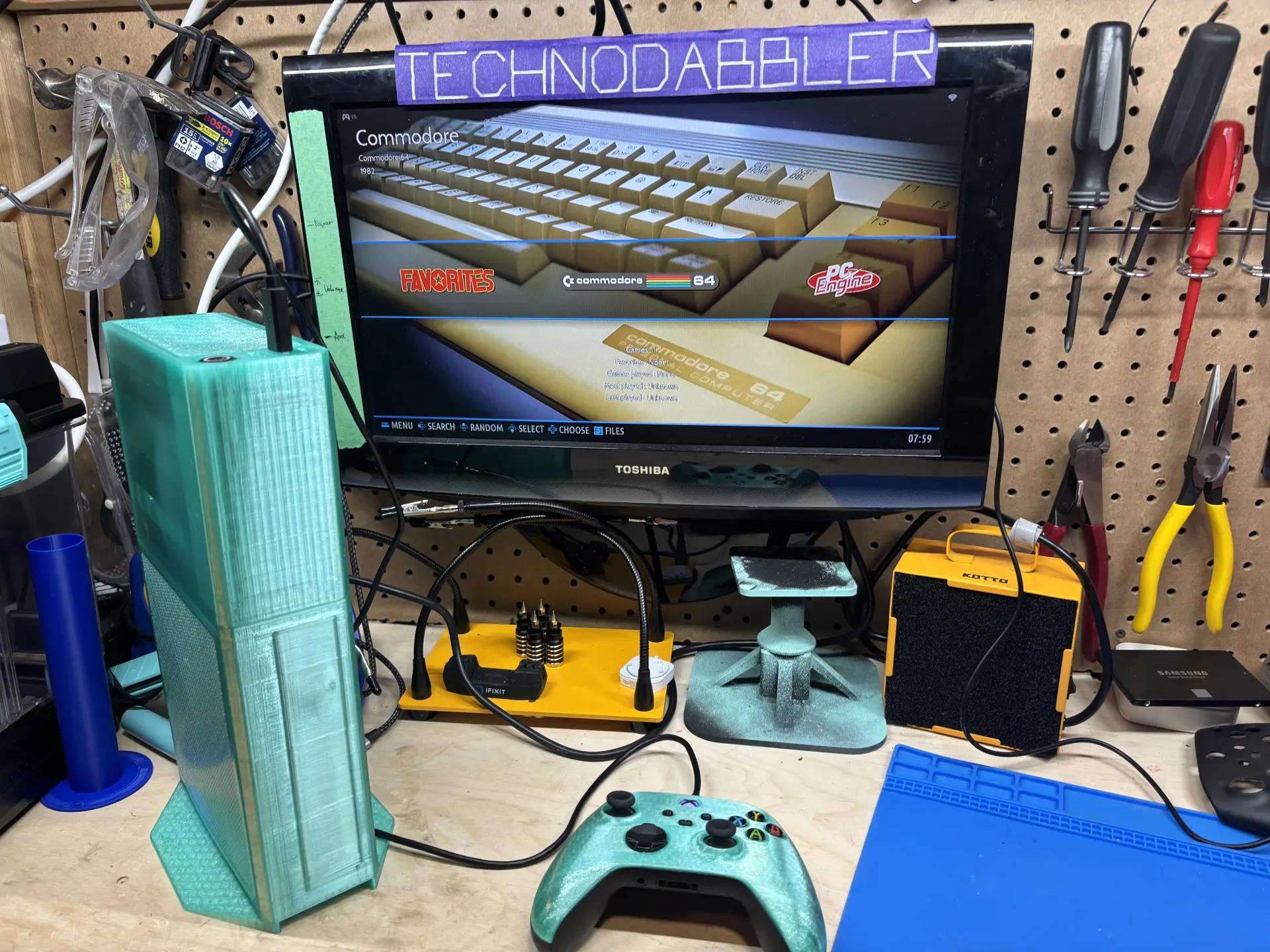
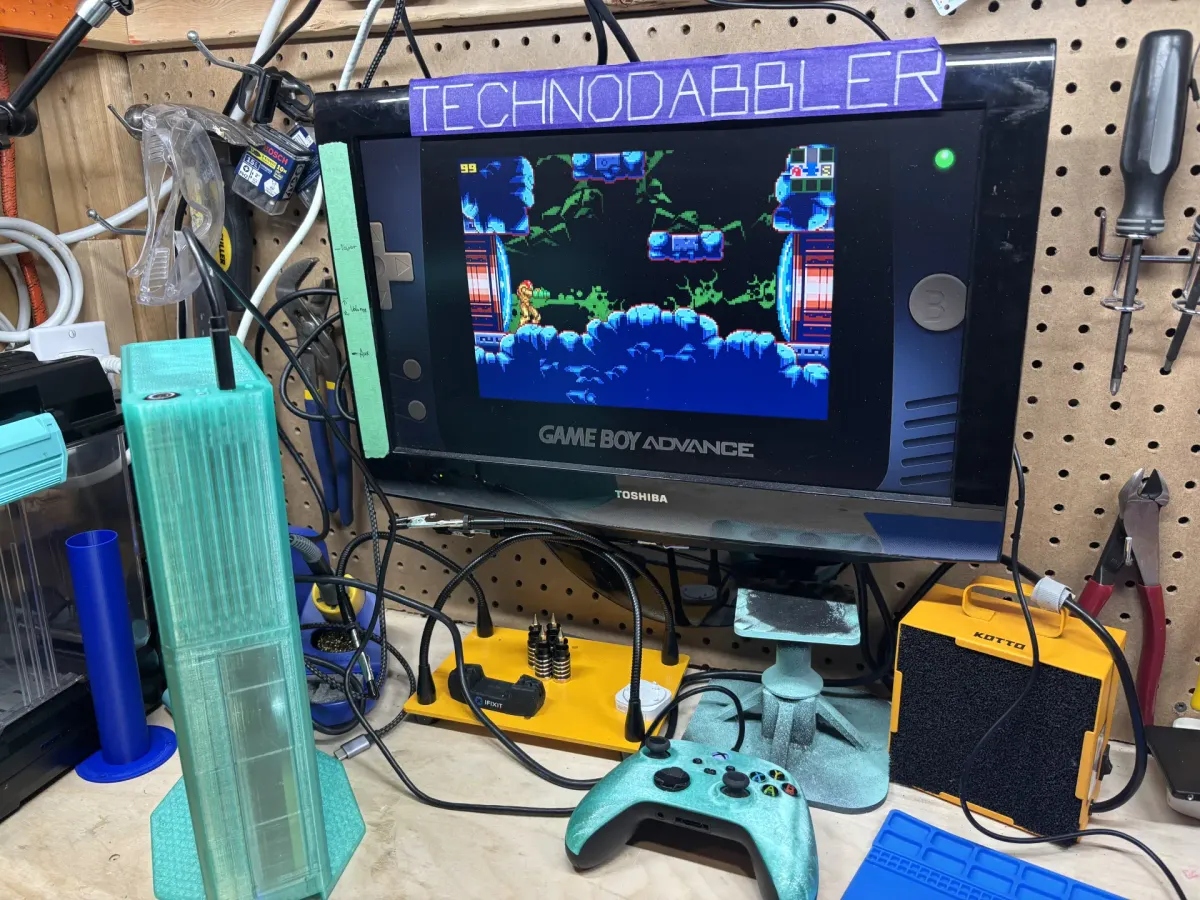
When taking photos for this project, we found that having a black Xbox controller was a pretty jarring contrast. And from our experience opening an Xbox controller, we know that shell replacements are straightforward. Printable shell models are also easy to find on MakerWorld. The result is a translucent theme extended to the Xbox controller. The original electronics, buttons, sticks, and lower shell remain in place, while the new upper shell visually ties the controller to the console.
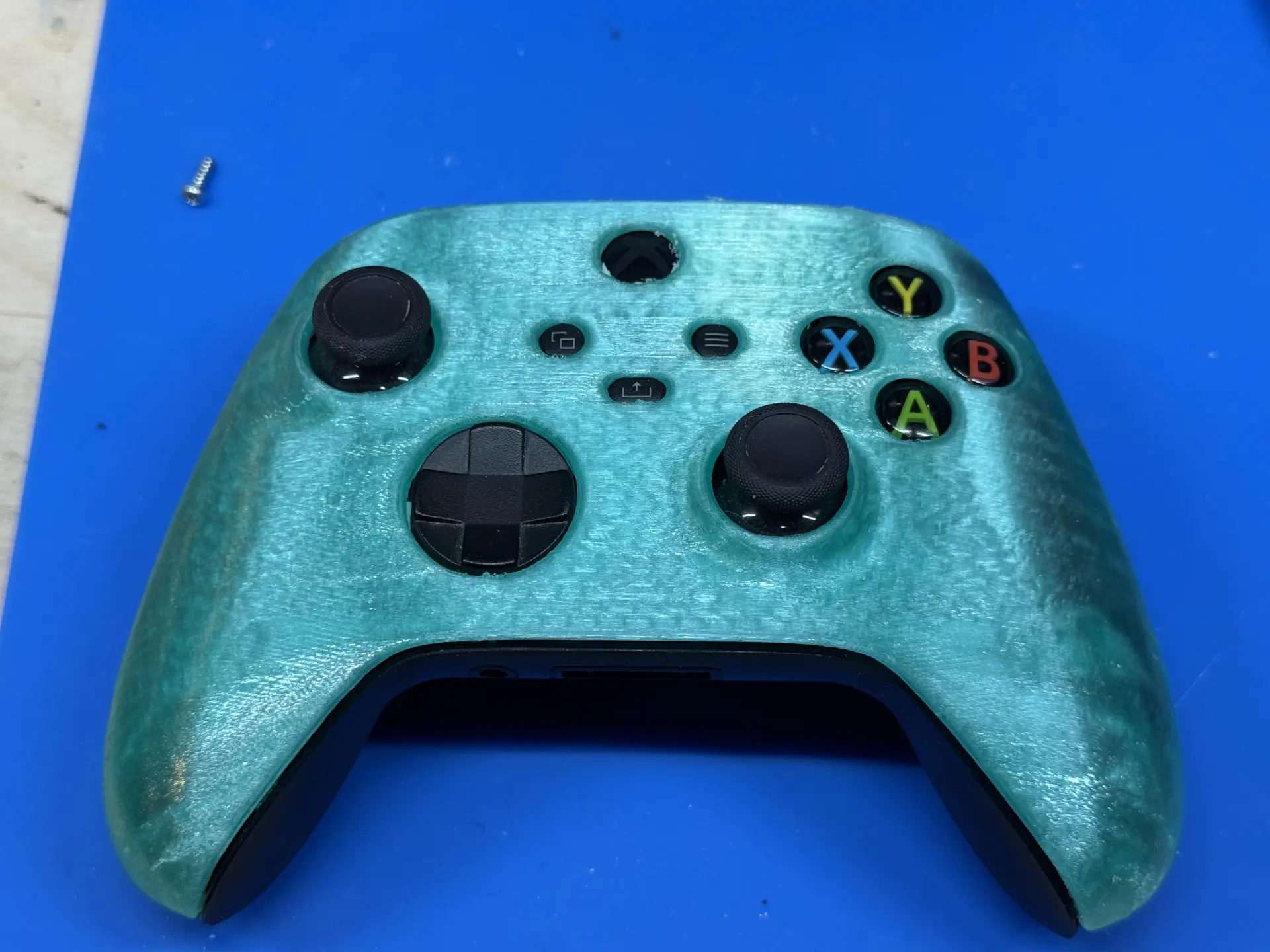
It is a cosmetic detail, but one that helps the finished machine look like a deliberate system rather than a small PC connected to whatever controller happened to be available.
What 3.7 Litres Changes
Building a small-form-factor PC is an exercise in compromises, and this project made those compromises unusually visible. The original Ryzen 5 5600G configuration offered more performance and cleaner NVMe storage, but the motherboard did not fit the enclosure. The older i7-4790 platform was slower, yet it fit properly and still provided enough performance for the intended emulation workload.
The same trade-offs continued through the rest of the build. A conventional SSD would have been faster and more durable than microSD storage, but it also required space for a drive, a SATA cable, and a power connection. The low-profile cooler offered less thermal headroom than a larger heatsink, but it was one of the few options that physically fit. None of these choices were ideal in isolation, but together they produced a system that worked within the 3.7 L limit.
The useful lesson is that a successful SFFPC build is not about eliminating compromise. It is about deciding which compromises matter for the workload and which ones can be accepted. In this case, giving up some CPU performance, storage speed, and upgrade flexibility made it possible to build a compact Batocera console that still does everything expected of it. At 3.7 litres, component choice, cooler clearance, cable routing, and physical geometry are all part of the design itself.
For another printed Mini-ITX build, check out our article on a 3D-printed NAS case, which explores many of the same enclosure and hardware trade-offs in a very different type of system.