The Complicated Relationship between Hexos and TrueNAS
Explore how TrueNAS, HexOS, and TrueNAS Connect approach storage, simplicity, and paid convenience in the evolving home NAS market.


If you are looking to build a NAS, you will need software to manage the storage and make it available across the network. Among the homelab community, TrueNAS has long been a popular choice, offering mature, enterprise-grade NAS software for free. The tradeoff is complexity. TrueNAS can be daunting for someone building a first NAS, since it assumes some familiarity with storage, IP networking, permissions, and other system administration concepts.
 Alex Denault
New to network-attached storage? The Ultimate NAS Guide walks through what a NAS is, how the hardware and software fit together, and what to consider before building one.
Enter HexOS, a home server platform built on TrueNAS but designed to simplify much of that experience. It offers a more approachable interface and automates many of the decisions TrueNAS leaves to the administrator. That convenience is not free, which has also become one of the main criticisms directed at HexOS.
The distinction between the two has become less clear with TrueNAS Connect. TrueNAS now offers its own simplified installation, monitoring, and management layer, with some capabilities included for free and others reserved for the paid Plus tier. This article takes a closer look at TrueNAS, HexOS, and the increasingly complicated relationship between the two.
TrueNAS: More Than a File Server
TrueNAS traces its roots back to FreeNAS, an open-source storage operating system that became popular with home users, small businesses, and IT administrators looking for serious NAS features without proprietary hardware. Over time, FreeNAS and the commercial TrueNAS product were brought together under the same family. Today, TrueNAS Community Edition remains the free option, while TrueNAS Enterprise adds supported hardware, high availability, enterprise integrations, and commercial support.
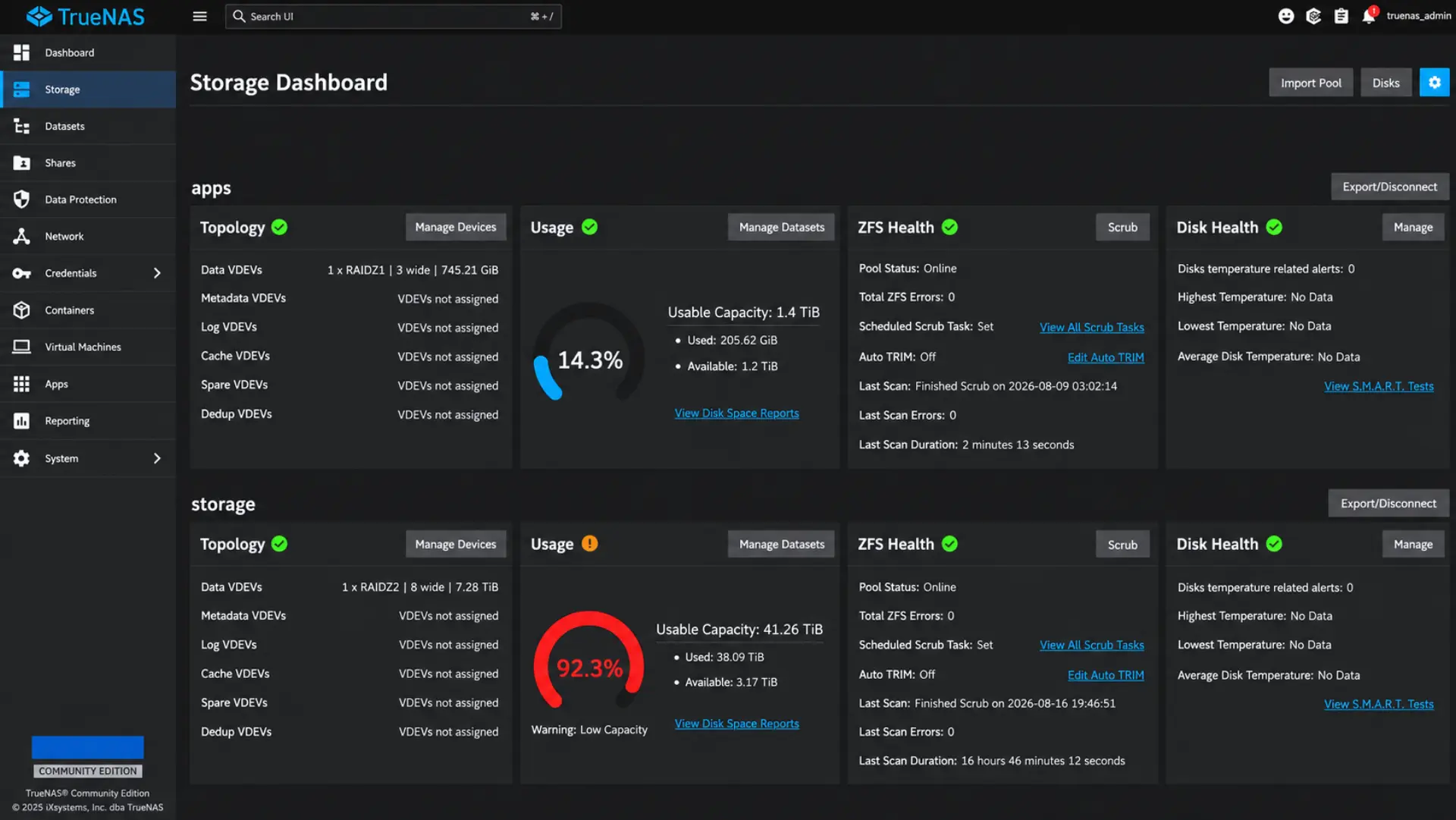
At the center of TrueNAS is OpenZFS. ZFS combines the filesystem and volume-management roles that are often handled separately in a traditional RAID setup. Instead of first creating a RAID array and then placing a filesystem on top, ZFS manages the disks, redundancy, and data together. Drives are organized into storage pools, with redundancy provided through mirror or RAIDZ layouts. Datasets then divide that storage into separate areas that can have their own compression, quotas, snapshots, encryption, and other settings. ZFS also checksums stored data, allowing corruption to be detected and, when redundant copies are available, repaired automatically.
TrueNAS then makes those datasets available across the network using several protocols. SMB is the common choice for desktop systems, particularly Windows and macOS clients. NFS is widely used between servers and Unix-like systems, while iSCSI exposes block storage that another machine can treat much like a locally attached disk. The same NAS can therefore serve ordinary shared folders, virtualization storage, backups, or application data depending on how the storage is presented.
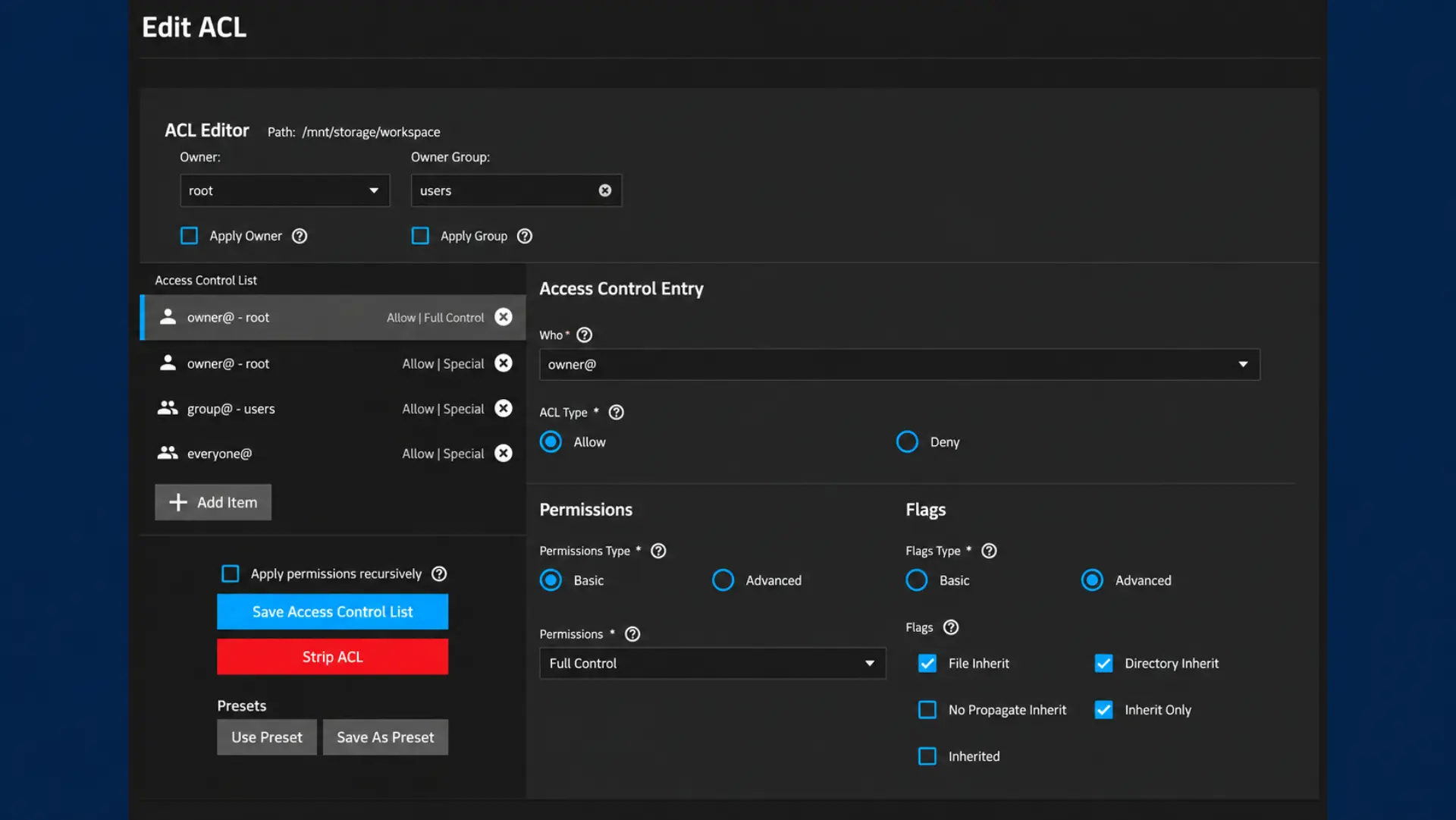
Where TrueNAS becomes difficult for many first-time users is permissions. Creating a dataset is straightforward, but making sure the right users can access it can involve Unix ownership, groups, ACLs, inheritance, SMB permissions, and preset choices that are not always obvious. A share can appear correctly configured in the interface and still fail because the dataset ACL does not match the user accessing it. This is one of the areas where TrueNAS exposes the underlying storage and operating-system concepts instead of hiding them, and it is also one of the problems HexOS was specifically designed to simplify.
TrueNAS has also evolved beyond being only a file server. The move to a Linux-based platform expanded its ability to host applications directly on the NAS. Current releases support Docker-based applications, Docker Compose deployments, Linux containers, and virtual machines through KVM. Services such as Plex, Nextcloud, or Home Assistant can therefore run on the same system that stores their data.
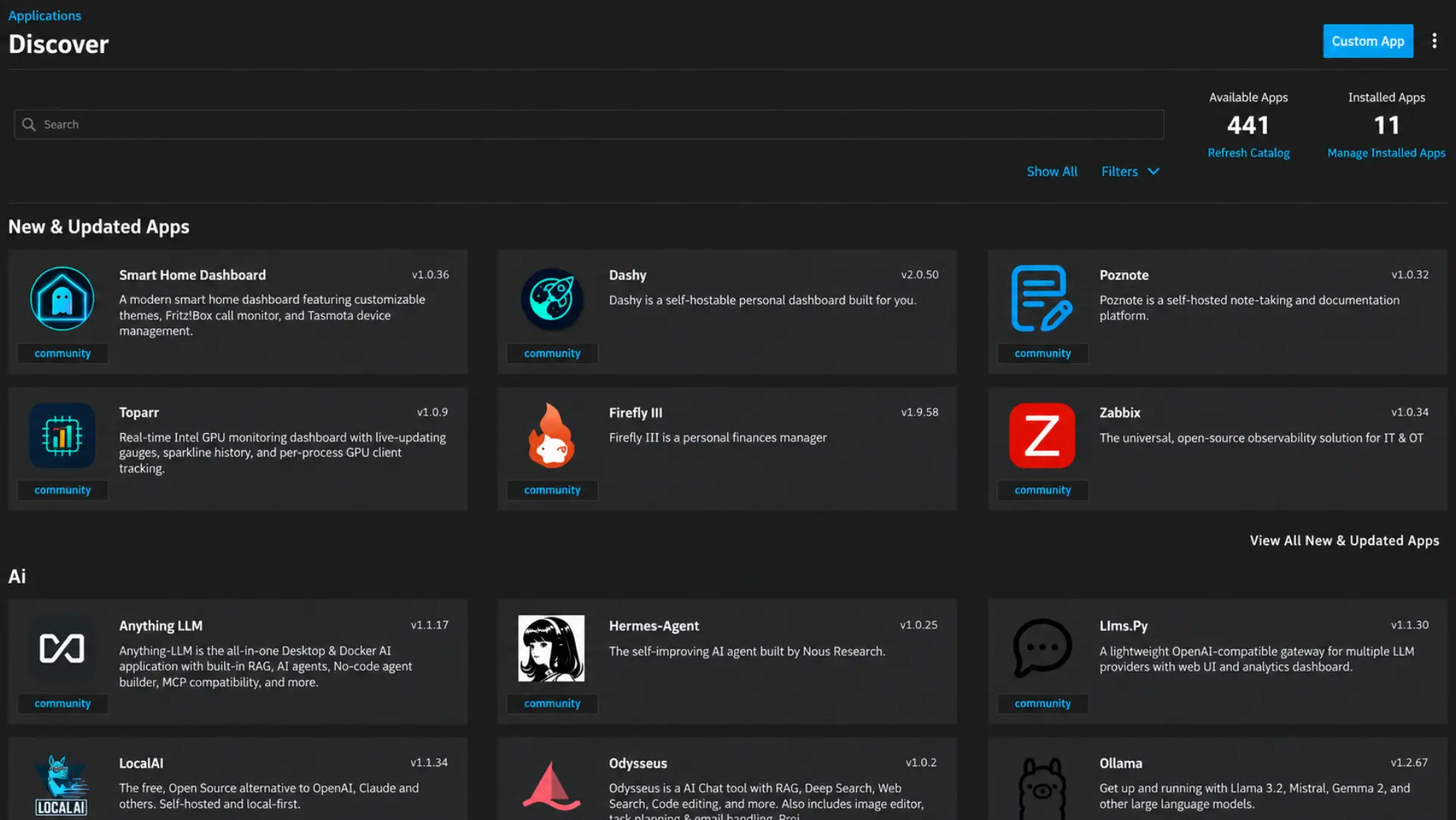
That combination of ZFS, multiple sharing protocols, application hosting, and enterprise-derived administration tools is what makes TrueNAS attractive in a homelab. It can scale from a simple two-drive file server into a much broader storage and application platform. The tradeoff is that TrueNAS often expects the user to understand the concepts behind the configuration, particularly when storage permissions and ACLs become involved. That gap between capability and approachability is where HexOS enters the picture.
HexOS: TrueNAS With Fewer Decisions
HexOS is developed by Eshtek, a company founded by Jonathan Panozzo and Eric Schultz, both former Unraid employees. That background matters because HexOS is aimed at a familiar problem: making self-built storage easier to manage without turning it into a closed hardware appliance. Rather than developing a new storage stack, Eshtek partnered with TrueNAS and built HexOS on top of it, using TrueNAS for ZFS, storage management, containers, virtualization, snapshots, and replication
The difference is most obvious in permissions. HexOS reduces much of the TrueNAS permission model to folders, users, and straightforward access controls. A folder can be shared and assigned to users without requiring the administrator to immediately understand ACL inheritance or the relationship between filesystem permissions and SMB access. TrueNAS is still doing the work underneath, but HexOS tries to keep those details out of the normal workflow.
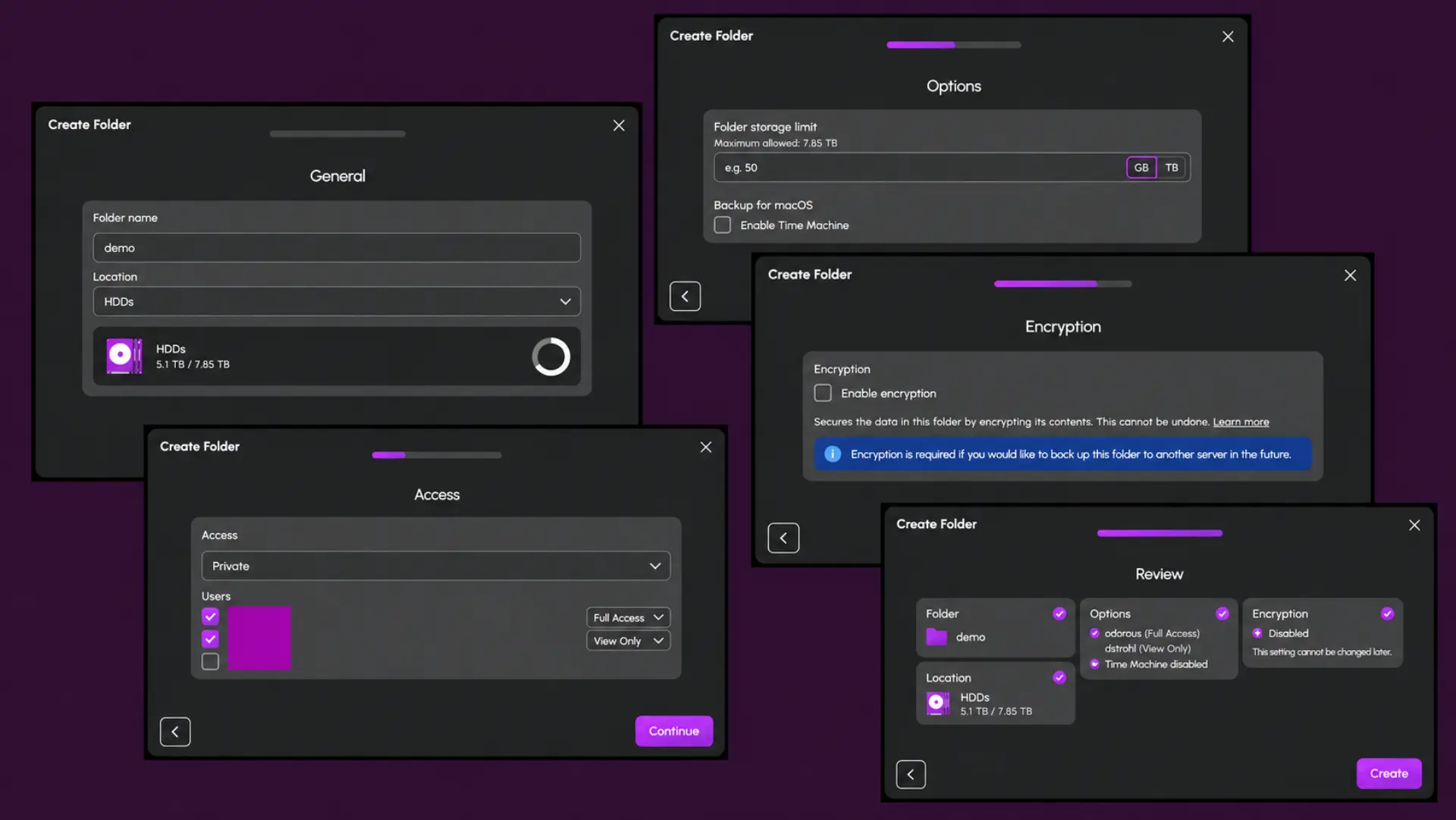
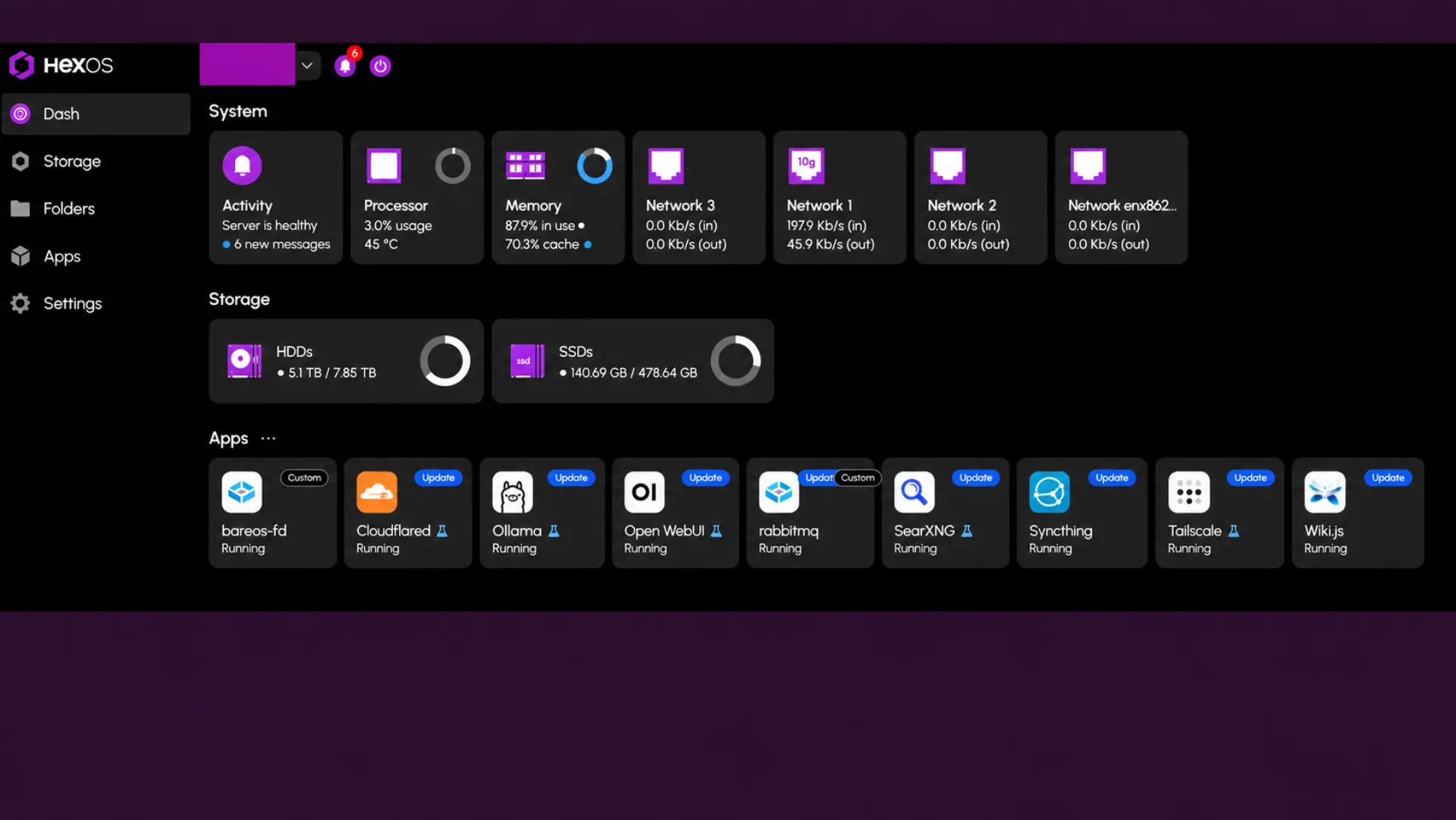
Storage setup follows the same approach. HexOS guides the user through creating a protected storage pool and makes many of the configuration decisions automatically. Its dashboard presents storage health, resources, applications, and warnings through a simpler interface. Importantly, the underlying TrueNAS interface remains available. HexOS does not replace TrueNAS administration so much as provide an easier path through the most common tasks.
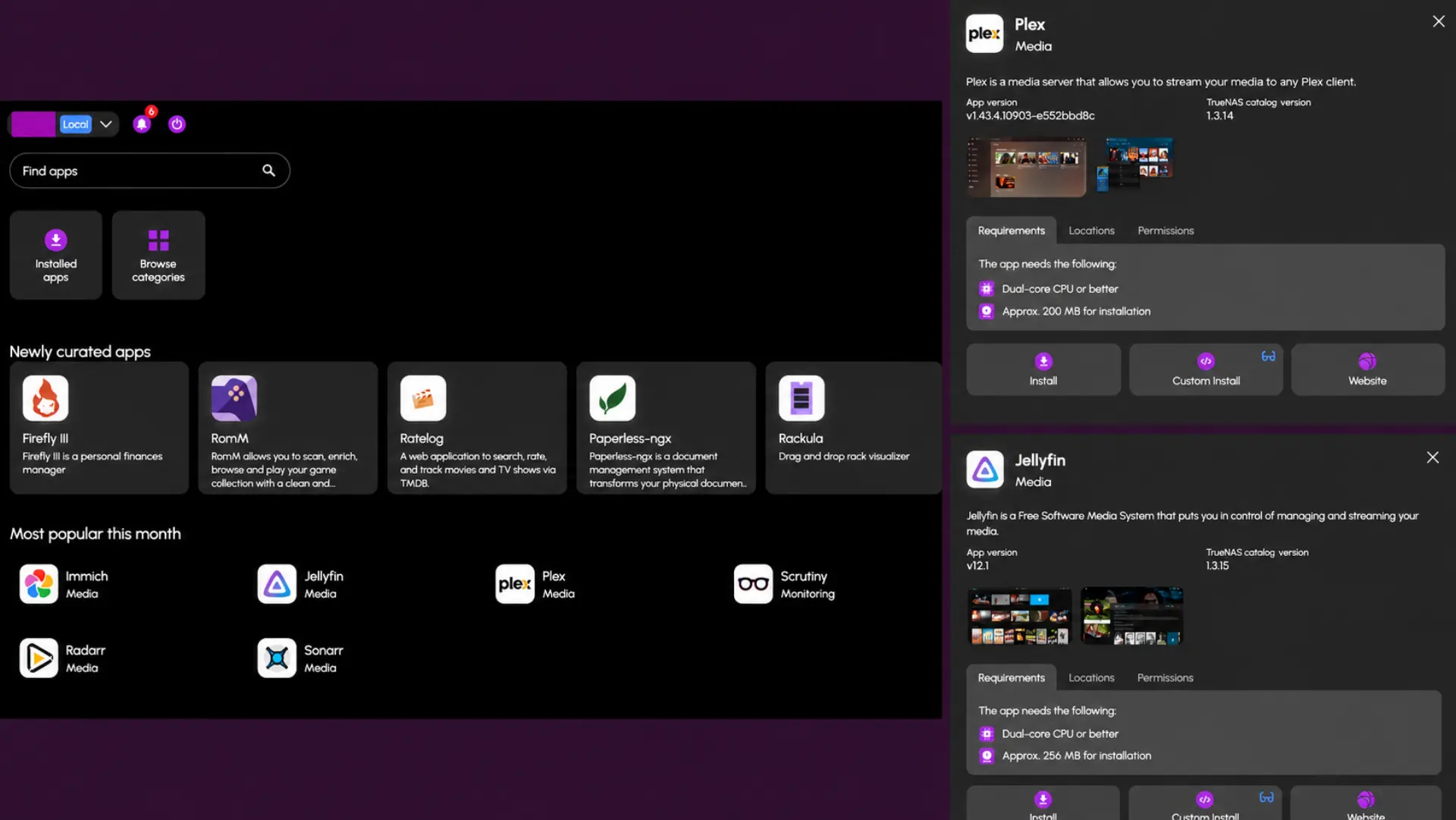
Applications are another major part of that simplification. HexOS provides a curated catalog and preconfigures much of what an application needs to run. Instead of installing a container and then working out its storage mounts, permissions, ports, and other settings, applications such as Plex, Jellyfin, and Emby can be deployed with much of that plumbing already prepared.
HexOS is also starting to tackle problems that go beyond simplifying the TrueNAS interface. Buddy Backup is intended to make encrypted peer-to-peer backups between HexOS systems easy to configure, filling a gap that has been surprisingly awkward since services such as CrashPlan stopped supporting computer-to-computer backup. AnyRAID approaches a different home-storage problem by making ZFS more practical with mixed-capacity drives. Eshtek helped fund its development with Klara Systems, with the goal of eventually contributing the work upstream to OpenZFS. In practical terms, it could make HexOS behave more like Unraid when a NAS grows gradually from whatever drives are available, rather than expecting a carefully matched set from the beginning.
The difficult part is the price. HexOS currently costs $199 per server during Early Access, with a regular price of $299, while TrueNAS Community Edition underneath it is free. For experienced TrueNAS users, the abstraction can also become a limitation. Once they need a setting HexOS does not expose, they may end up back in the TrueNAS interface anyway, which raises an obvious question: why pay for the additional layer?
The simplest answer is that those users may not be the audience. HexOS is built for people who would rather avoid learning the administrative details that experienced TrueNAS users already understand. If someone enjoys configuring datasets, ACLs, containers, and network shares directly, HexOS can feel unnecessary. For someone who wants the same underlying storage platform with fewer decisions to make, that simplification is precisely what is being sold.
The Complicated Relationship Between HexOS and TrueNAS
HexOS and TrueNAS are not traditional competitors. HexOS depends on TrueNAS for its storage foundation, while TrueNAS gains another path for introducing its technology to people who may never have considered using it directly. TrueNAS Community Edition already serves a similar purpose by giving homelab users, enthusiasts, and IT professionals free access to the platform. Someone who learns TrueNAS at home may later recommend it in the workplace. HexOS expands that exposure to users who might never install TrueNAS directly, but who could still become the people influencing technology decisions later in their careers.
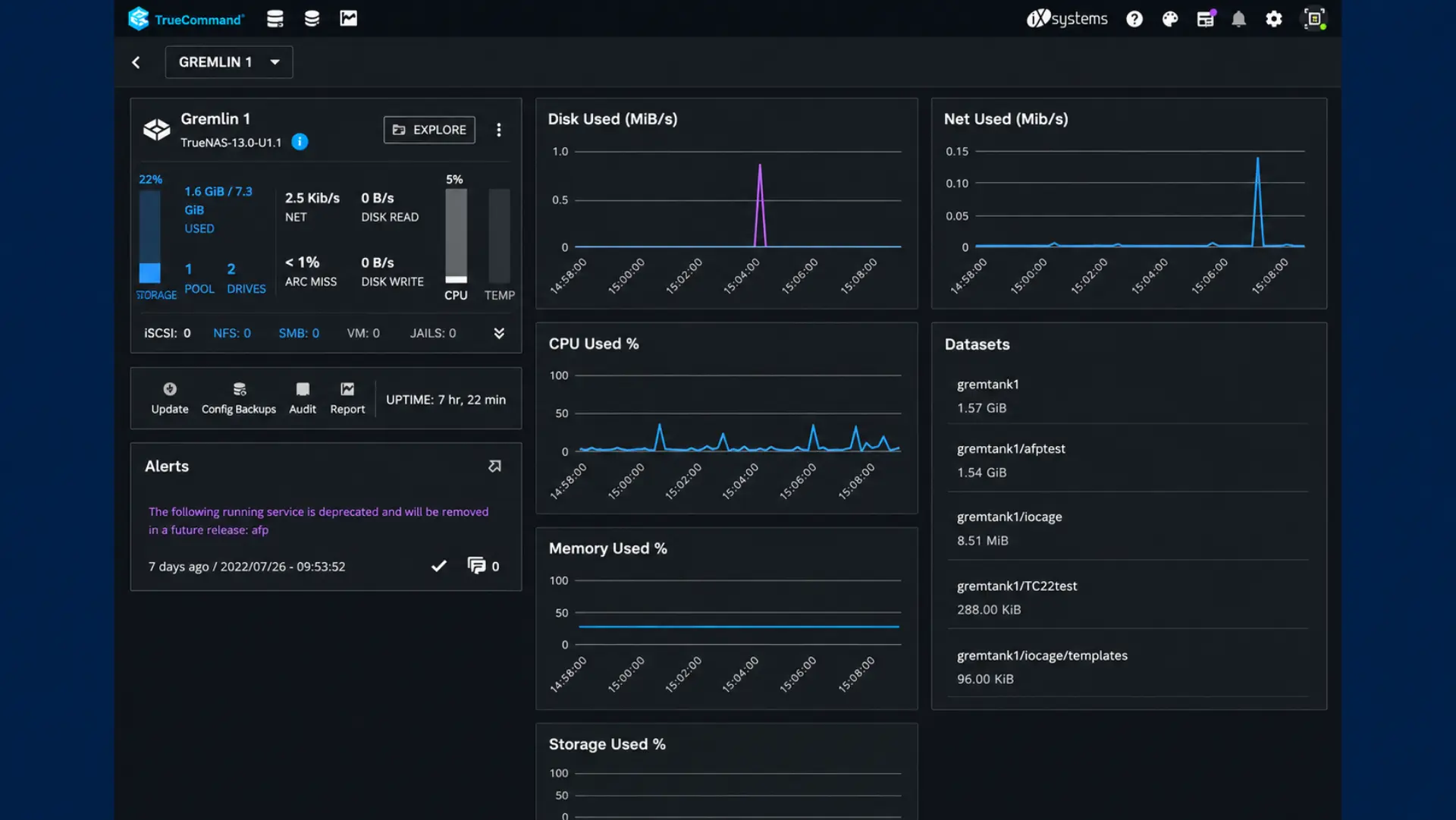
TrueNAS Connect makes that relationship less distinct. Its web-based installation process feels similar to the guided experience HexOS provides, while the management console adds centralized monitoring, replication management, and control over applications and virtual machines. HexOS still focuses more on simplifying the individual NAS, particularly storage setup, permissions, and applications, while Connect is moving toward centralized remote administration. Even so, both products are now trying to reduce some of the friction around running TrueNAS.
The limits placed on Connect also reveal how TrueNAS is positioning it. Foundation supports two systems, while the $60-per-year Plus tier supports only three systems and 1 PB of combined storage. The upcoming Business tier removes those caps and adds high availability, longer statistics retention, and tools aimed at MSPs and larger deployments. For anyone with four systems, Plus is already out of reach. The three-system ceiling seems designed to keep the inexpensive home-lab tier from overlapping too far with a commercial management product.
What is more interesting is that TrueNAS now sees enough value in convenience to charge for it. Unraid had already demonstrated that home-server users were willing to pay for storage software that reduced administrative work. HexOS provided a more direct example inside the TrueNAS ecosystem, selling more than 25,000 lifetime licenses during its five-day Early Access launch. That is a significant number of users paying specifically for a simpler experience built on top of software they could otherwise use for free. TrueNAS Connect approaches the problem differently, but follows the same broader idea: the software surrounding the storage system can be valuable on its own.
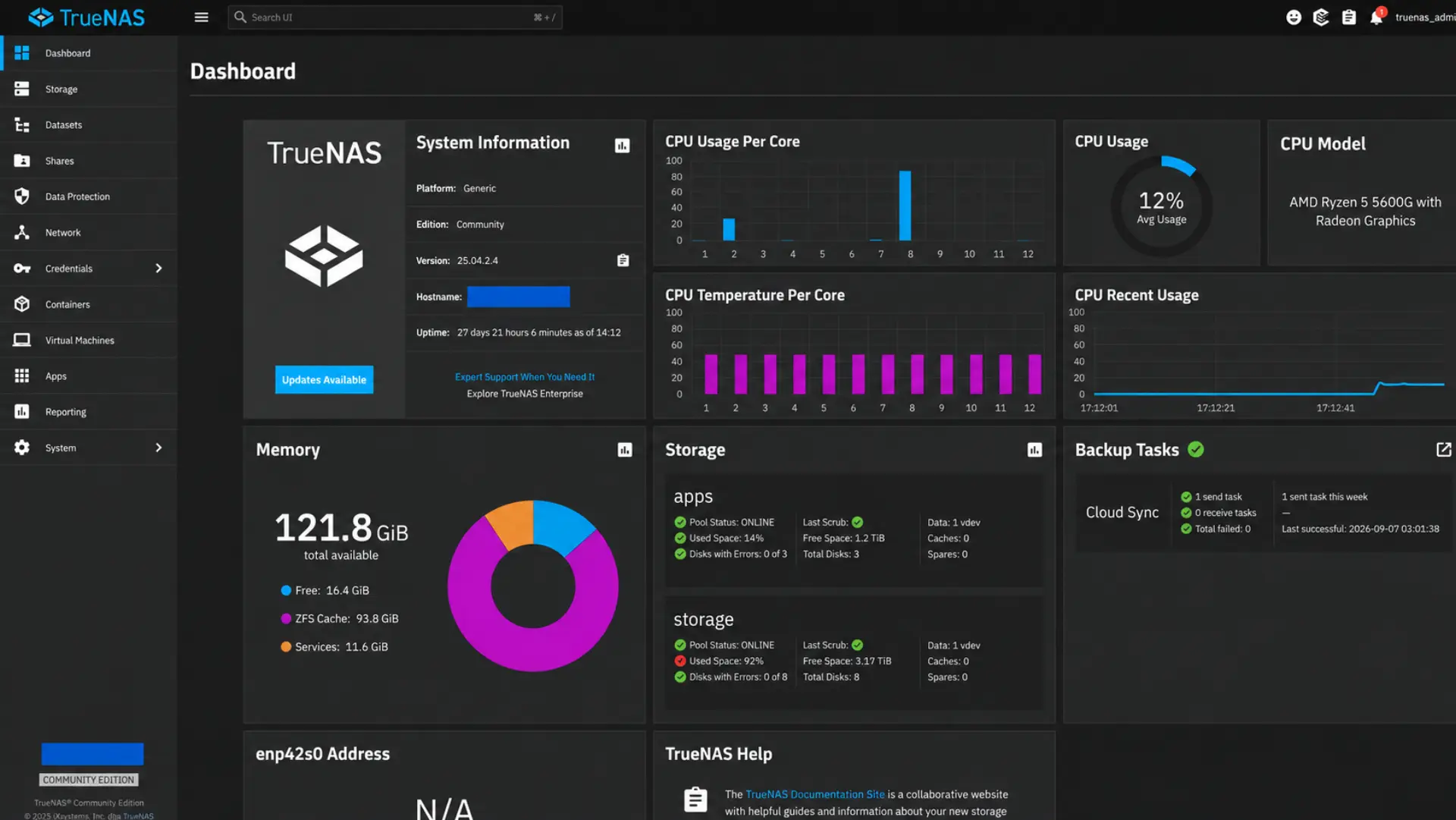
That leaves TrueNAS and HexOS in an unusual form of co-dependence. HexOS needs TrueNAS to remain a capable storage platform, while TrueNAS benefits from HexOS introducing that platform to a broader audience. At the same time, Connect is moving TrueNAS into some of the convenience-focused territory that helped justify HexOS in the first place. The result is less a conflict between two products than a sign that the home-server market is changing, with simplicity, remote management, and reduced administrative overhead becoming products in their own right.
Would you pay for a simpler NAS experience, or do you prefer the control that comes with managing TrueNAS directly? Share your experience with TrueNAS, HexOS, or Unraid in the comments.
Interested in building a NAS of your own? Check out our article exploring the hardware side of the equation, using the ModCase MASS enclosure, unconventional motherboard choices, and Unraid to build a complete home storage server.