Meshtastic in an Urban Environment
Meshtastic makes LoRa mesh networking feel simple until the city gets involved. This field test explores what worked, what failed, and why MeshCore may be next.

Trust RF hobbyists to take an inexpensive radio technology and turn it into something more interesting. LoRa was built for low-power, long-range communication, often for sensors that send small packets over distance. For makers and radio hobbyists, that created a golden opportunity: affordable hardware that could reach far beyond WiFi or Bluetooth and still run on modest power.
Meshtastic turns LoRa into something closer to a long-range digital walkie-talkie, with one important difference: nearby nodes can repeat a message farther than a single radio could reach on its own. That mesh can include many kinds of devices, from portable units with small keyboards, to GPS trackers, to fixed repeaters mounted in better locations. As more people participate, those individual radios can start to behave like shared local infrastructure.
Previous Technodabbler coverage of LoRa has shown why the technology works well in sparse rural areas, where there is minimal structures to create interfere. Urban areas create a harder test, even though they seem like the natural environment for a digital walkie-talkie. This article looks at that duality by first explaining how Meshtastic works, then how Technodabbler attempted to connect two fixed nodes roughly 15 kilometers apart through an existing urban mesh.
What Is Meshtastic?
LoRa has been discussed numerous times on Technodabbler before, usually through its most common network use case: LoRaWAN. In that world, low-power sensors send small packets across long distances to gateways, often for agriculture, utilities, environmental monitoring, or industrial Internet of Things projects. The appeal is efficiency. A small device can run for a long time (i.e. years), send modest amounts of data, and reach farther than WiFi or Bluetooth would ever imagine.
 Alex Denault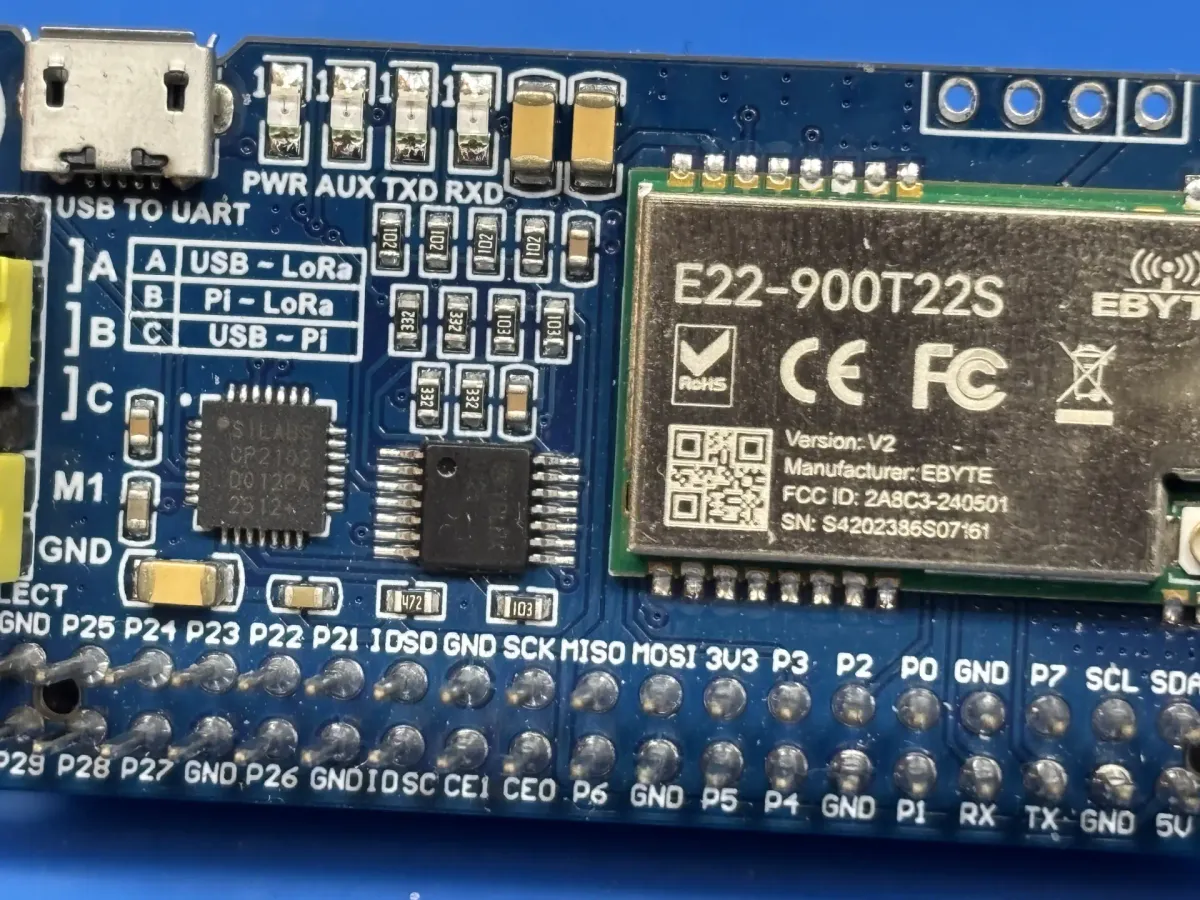
The limits of Meshtastic are easier to understand with proper knowledge of the underlying radio technology, Lora.
Meshtastic explores a different side of the same radio technology : using LoRa radios to let small devices communicate with one another. Created by Kevin Hester in 2020, Meshtastic grew from a practical idea: inexpensive radio nodes could help people communicate when normal connectivity was unavailable or unreliable. The project has since become an open-source ecosystem with firmware, mobile apps, supported hardware, local communities, and a growing number of hobbyist deployments.
Meshtastic Explained
The experience is simple at first: a Meshtastic device pairs with a phone or connects to a computer. From there, it can send short messages, share basic telemetry, and optionally report location. When another compatible node is close enough to hear it, the two devices can exchange packets over radio. When more nodes are added, they relay any message received not destined to them. Thus, the mesh network is created.


The official Meshtastic is a good starting point.
Meshtastic does not discover nodes in the same way a laptop finds WiFi networks or a phone registers with a cellular tower. A node transmits into the local airspace, and any compatible node within range may hear it. If a packet is received successfully, the listening node can learn something from it: the sender’s identity, a message, telemetry, position data, or routing information. Discovery is passive: a node becomes visible because another node heard it.
Forwarding follows the same basic idea. When a node receives a packet that should continue through the mesh, it is rebroadcast that packet back into the RF environment. The goal is that another node, farther away and/or better positioned, will hear the retransmission and carry it another step. This makes Meshtastic behave like a mesh network, even though it lacks any of the traditional fixed routes or a central coordinator.
The distance a node can reach other nodes is determined by the same physical limits that shape any radio system. Antenna height, antenna placement, building materials, terrain, interference, and the position of nearby relays all affect whether a packet can be heard and forwarded.
The Hardware That Powers Meshtastic
Meshtastic runs on small radio devices built around a microcontroller, a LoRa radio, an antenna connection, and a power source. The microcontroller runs the firmware and handles the device logic, while the LoRa radio sends and receives packets over the configured regional frequency.
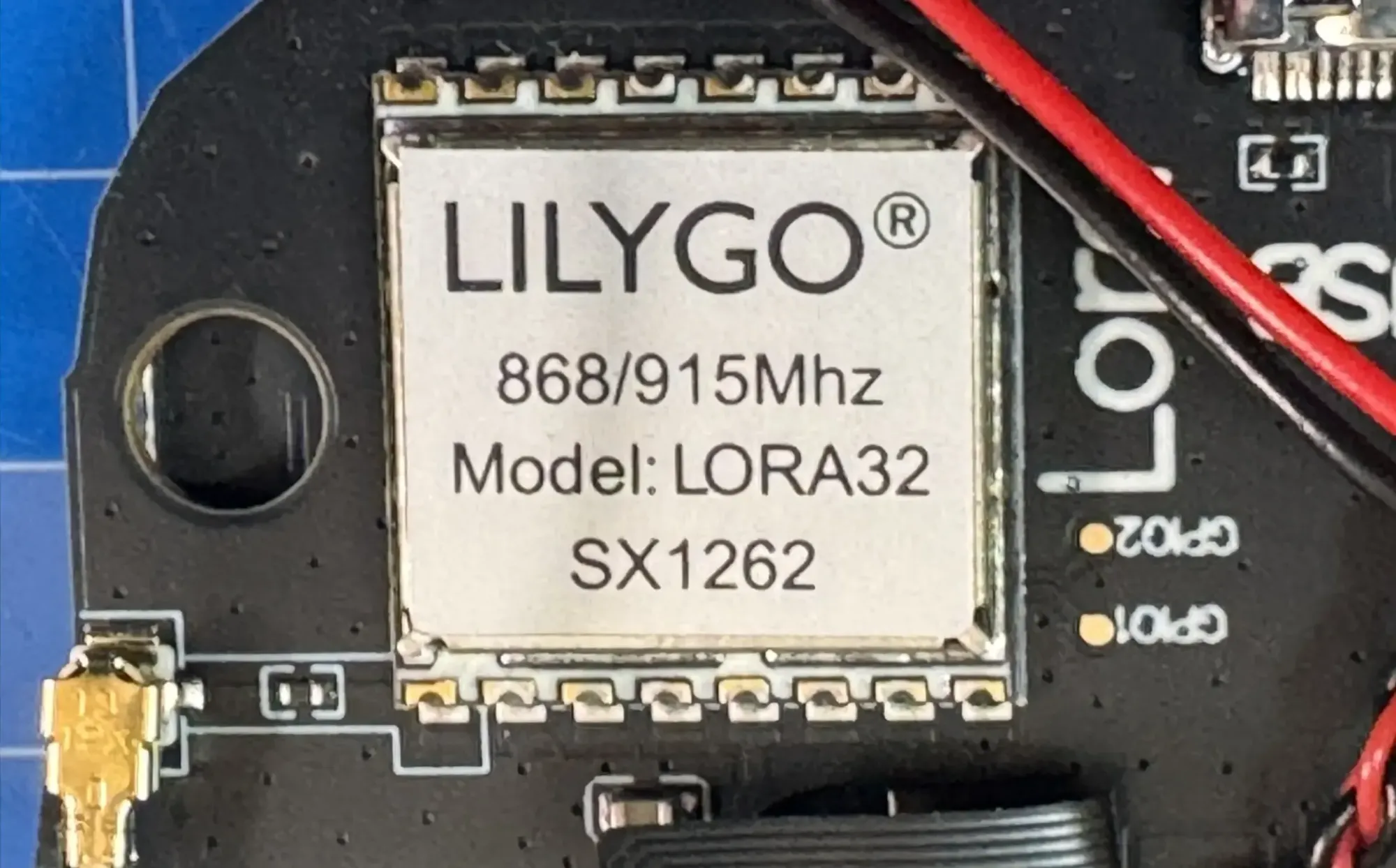
Many beginners start with ESP32-based devices from companies such as Heltec and LilyGO. These boards are popular because they are affordable, widely available, and often include modern convenience such as USB connectivity, Bluetooth, WiFi hardware and battery support.
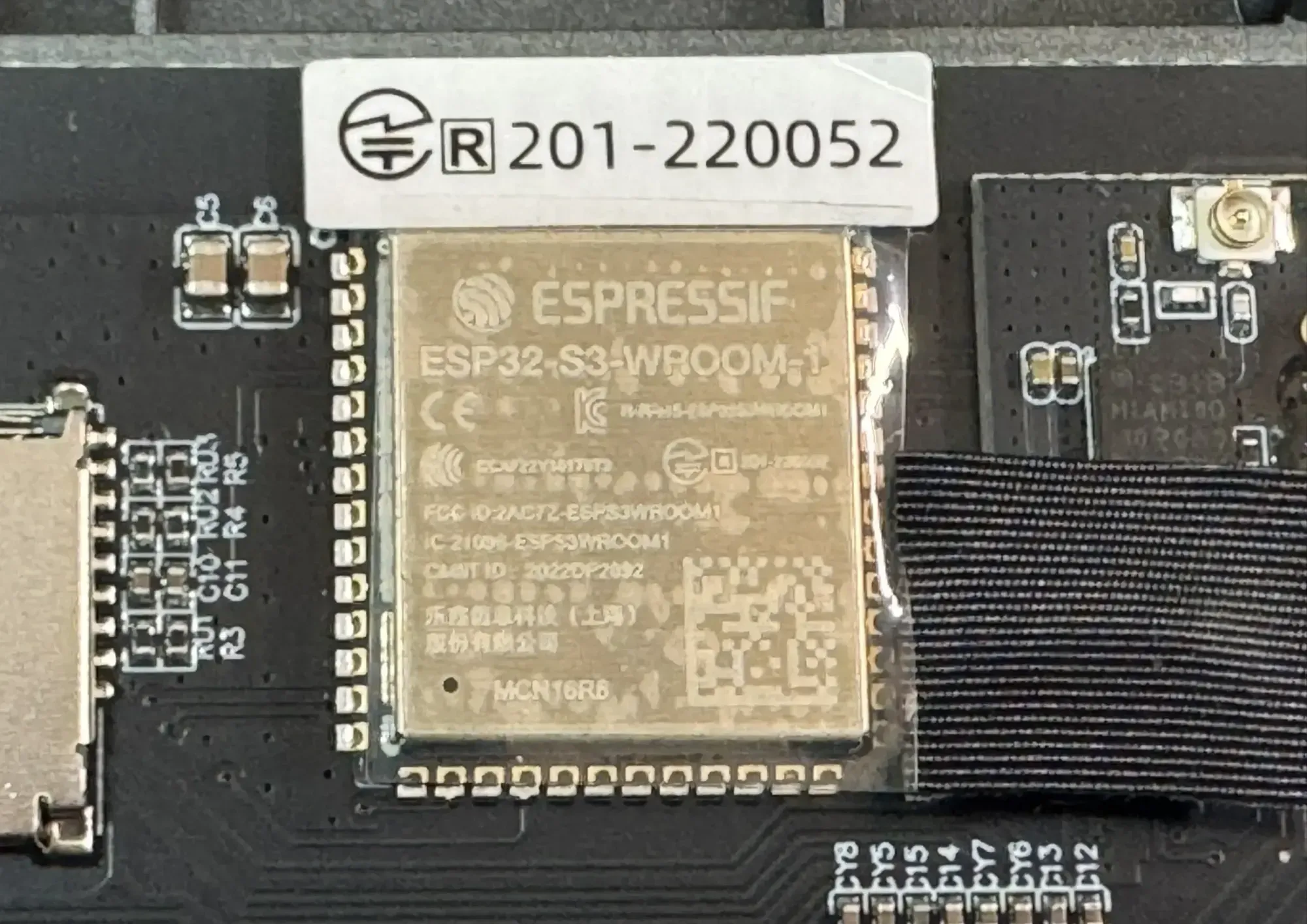
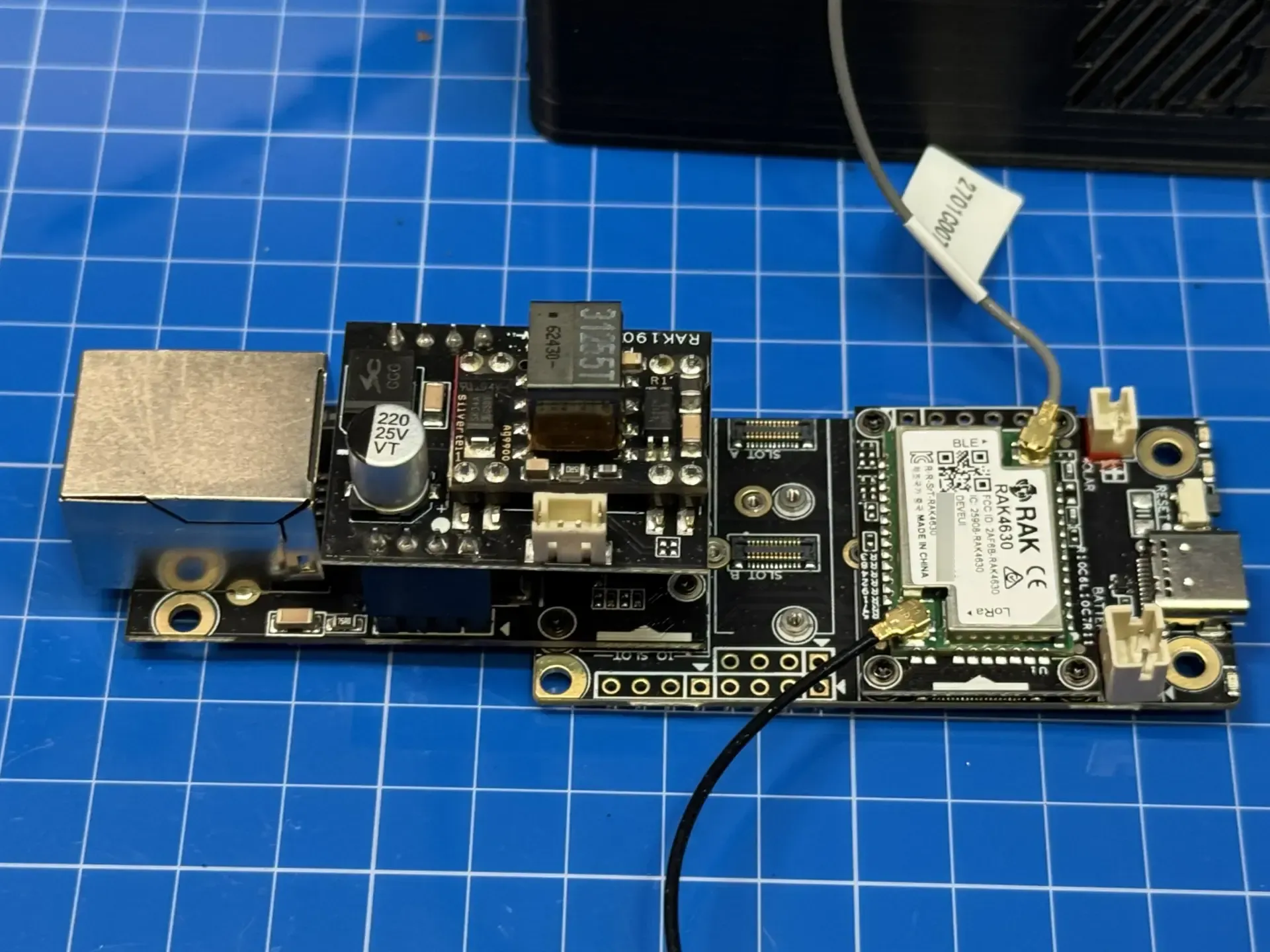
More advanced or infrastructure-focused builds often use modular hardware such as the WisBlock RAK4631, which is based on the Nordic nRF52840, a chipset favored for low-power use. A RAK WisBlock setup is modular, which changes how the node is designed. Instead of buying one fixed board with every feature already selected, the builder can choose a base board, radio module, power option, enclosure, sensors, and networking add-ons around a specific role. That role might be a fixed outdoor node, a solar-powered node, a sensor node, or a network-connected installation.
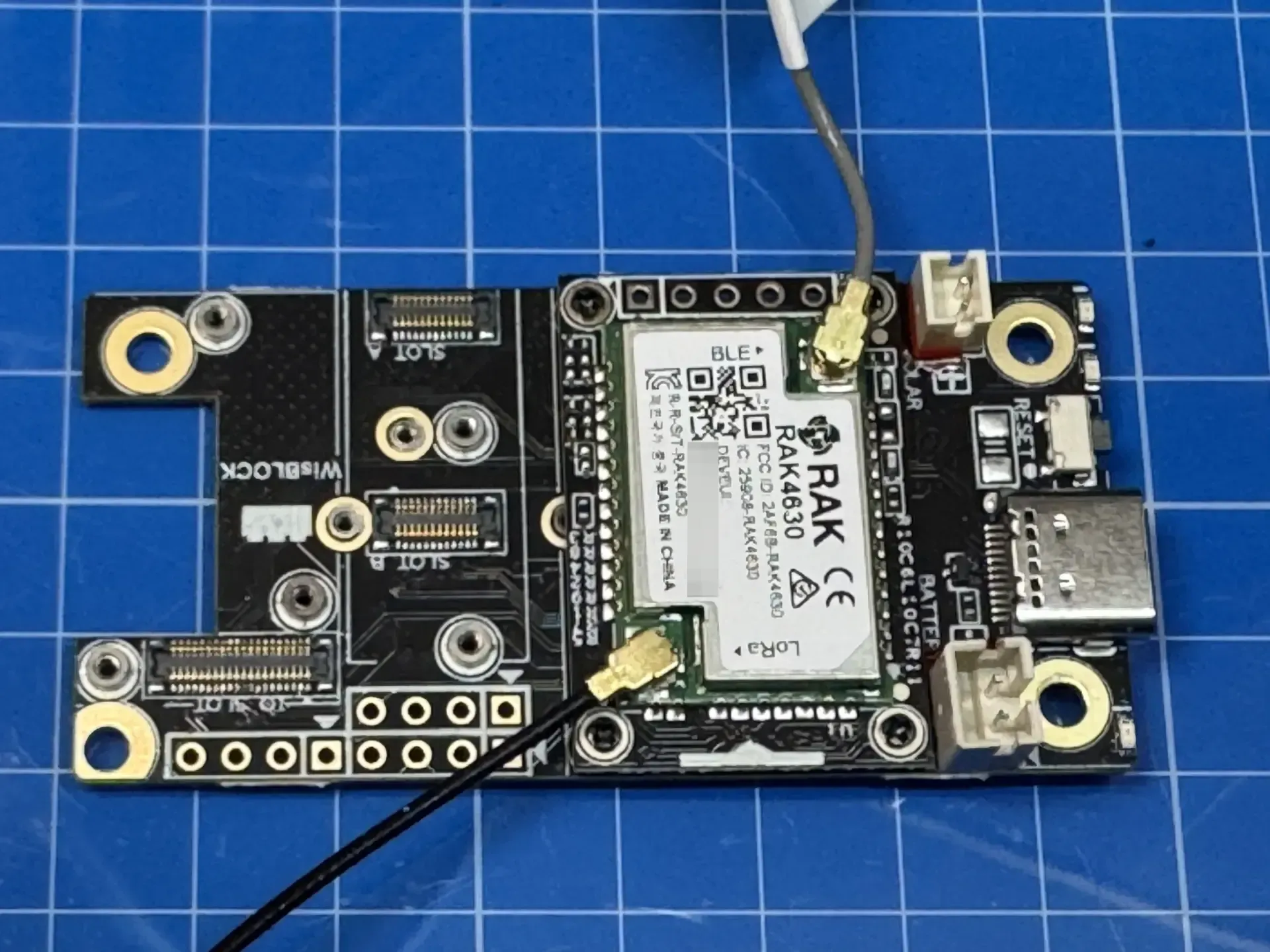
The nRF52840 also changes the tradeoff. It lacks some of the conveniences often found on ESP32-based boards, including built-in WiFi, so the build tends to be more intentional. That can be a drawback for beginners who want an all-in-one device, but it can be useful when the goal is a stationary node that runs for long periods with fewer moving parts. Different WisBlock base boards provide different sizes and expansion options, which gives the builder more freedom when designing a node around power, enclosure space, sensors, or Ethernet.
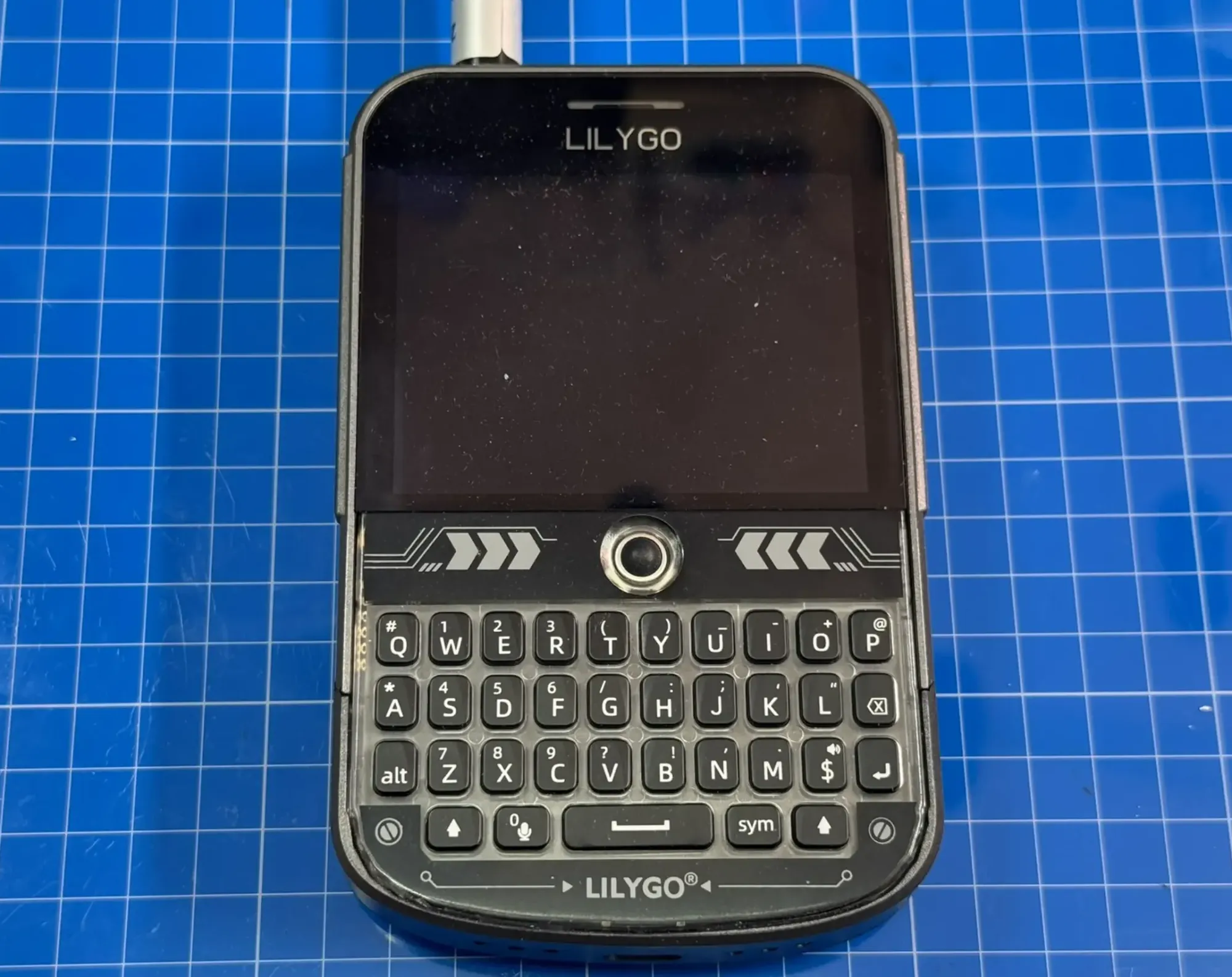
There are also Meshtastic devices built for portable use beyond the simple tethered boards used by many beginners. LILYGO’s T-Deck is a good example, combining a screen and small keyboard into a handheld communicator-style device. Other portable nodes, such as the LILYGO T-Echo, focus more on mobile operation, battery use, and location-aware features leveraging GNSS. These devices make Meshtastic feel less like a hobby project and more like a purpose-built communication tool, which can be useful when the goal is to carry the node rather than mount it somewhere.
Roles, Channels, and Configuration
Meshtastic devices can be assigned different roles depending on how they are expected to participate in the network. Most handheld or portable devices act as clients. They are useful for sending messages, receiving messages, and experimenting with the mesh, but they are not usually the nodes that make a wider network dependable.
Router and repeater-style nodes have a different purpose. Their job is to repeat traffic so messages can move beyond the range of a single radio link. In a simple path, a message might travel from a client to a well-placed router, then through another router, before finally reaching another client. This is what allows a mesh to cover more than one immediate neighborhood or line-of-sight area. The most useful relay nodes tend to be fixed installations with stable power, better antennas, and access to rooftops, balconies, towers, or other elevated locations.
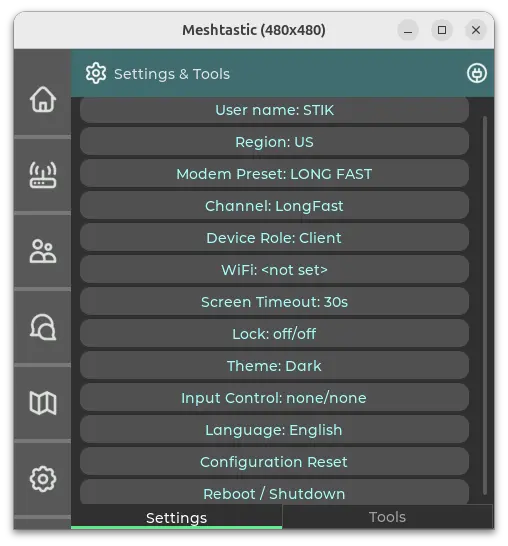
Roles only matter if the radios are able to hear the same network in the first place. In North America, Meshtastic commonly operates in the 915 MHz ISM band, while other regions use different frequency ranges, such as 868 MHz in much of Europe. That means Meshtastic hardware is not always interchangeable across countries. Beyond frequency, Meshtastic also depends on LoRa modem presets such as ShortFast, MediumFast, and LongFast. These presets are rooted in LoRa configuration choices, including bandwidth, spreading factor, and coding rate, and they create tradeoffs between speed, range, airtime, and network capacity. A faster preset can move packets more quickly and use less airtime, which can help reduce congestion in a busy area, but it usually gives up some range. A slower long-range preset can help weaker links, but each packet occupies the air longer, which increases the chance of collisions when many nodes are transmitting or repeating traffic. That said, nodes will only be able to communicate with each other if they have matching presets.
Channels, MQTT, and the Node List
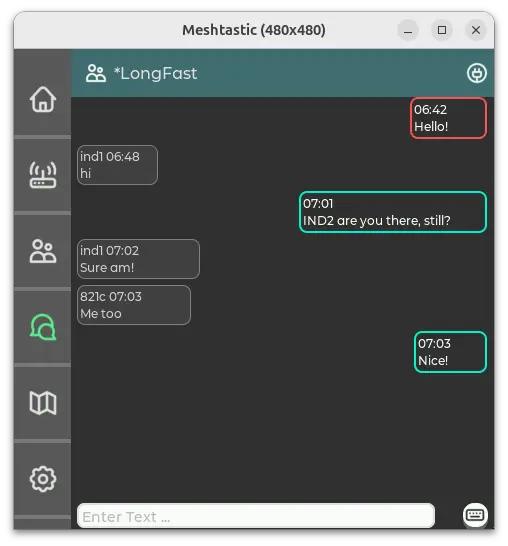
Channels, much list those found in chat application, add one more layer of configuration. Meshtastic includes a default public channel, often used by local communities as the easiest way for new nodes to participate. Nodes can also use private channels with their own names and encryption keys. Two devices may be on the same frequency and modem preset, yet still fail to exchange readable messages if their channel settings do not match. For someone joining an existing urban mesh, the public channel is usually the starting point because it provides a shared baseline before experimenting with private groups or custom configurations.
Meshtastic can also connect to MQTT, which adds an internet-backed layer beside the radio mesh. MQTT, short for Message Queuing Telemetry Transport, is a lightweight publish-subscribe messaging protocol commonly used for machine-to-machine and Internet of Things communication. In Meshtastic, MQTT can let nodes publish and receive mesh traffic through a reliable internet connection, which can be useful for bridges, remote monitoring, and community infrastructure. However, many users avoid connecting their nodes to a community MQTT server because it changes the nature of the experiment. Once messages can move through the internet, the system is no longer purely an RF mesh.
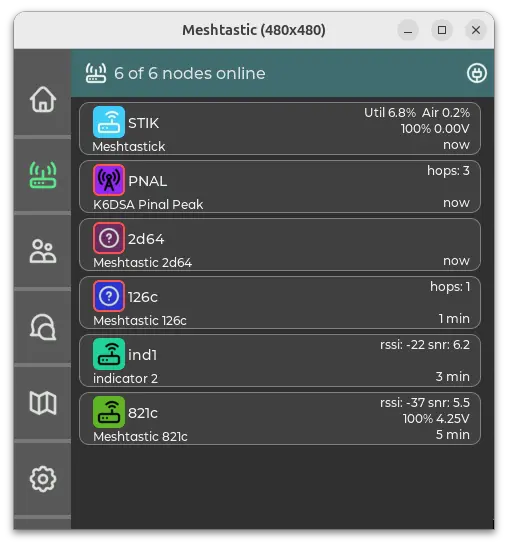
The node list of a Meshtastic device is where all of this can start to feel misleading. It looks like a contact list, but it is closer to a local memory of packets and node information the device has received. Some entries may be direct neighbors that the radio heard at one point. Others may have been learned through packets repeated by another node. Some listing may be stale, because a node transmitted once and has not been heard again recently. In setups where MQTT is enabled somewhere in the broader network, some visibility may also reflect internet-connected infrastructure rather than local RF reachability. The important lesson is that seeing a node in the list does not prove that it is nearby, directly reachable, or reliable enough for conversation. It only proves that information about that node reached the device at some point.
The Promise of an Urban Mesh
An urban mesh is one of the most appealing ways to imagine Meshtastic in use. Cities have density, elevation, technically curious users, apartment buildings, rooftops, balconies, and enough nearby activity for a local radio network to feel possible. A new user does not have to build every relay from scratch. They can configure a node, listen for the local network, and see whether existing infrastructure can help messages travel farther than a single radio link.
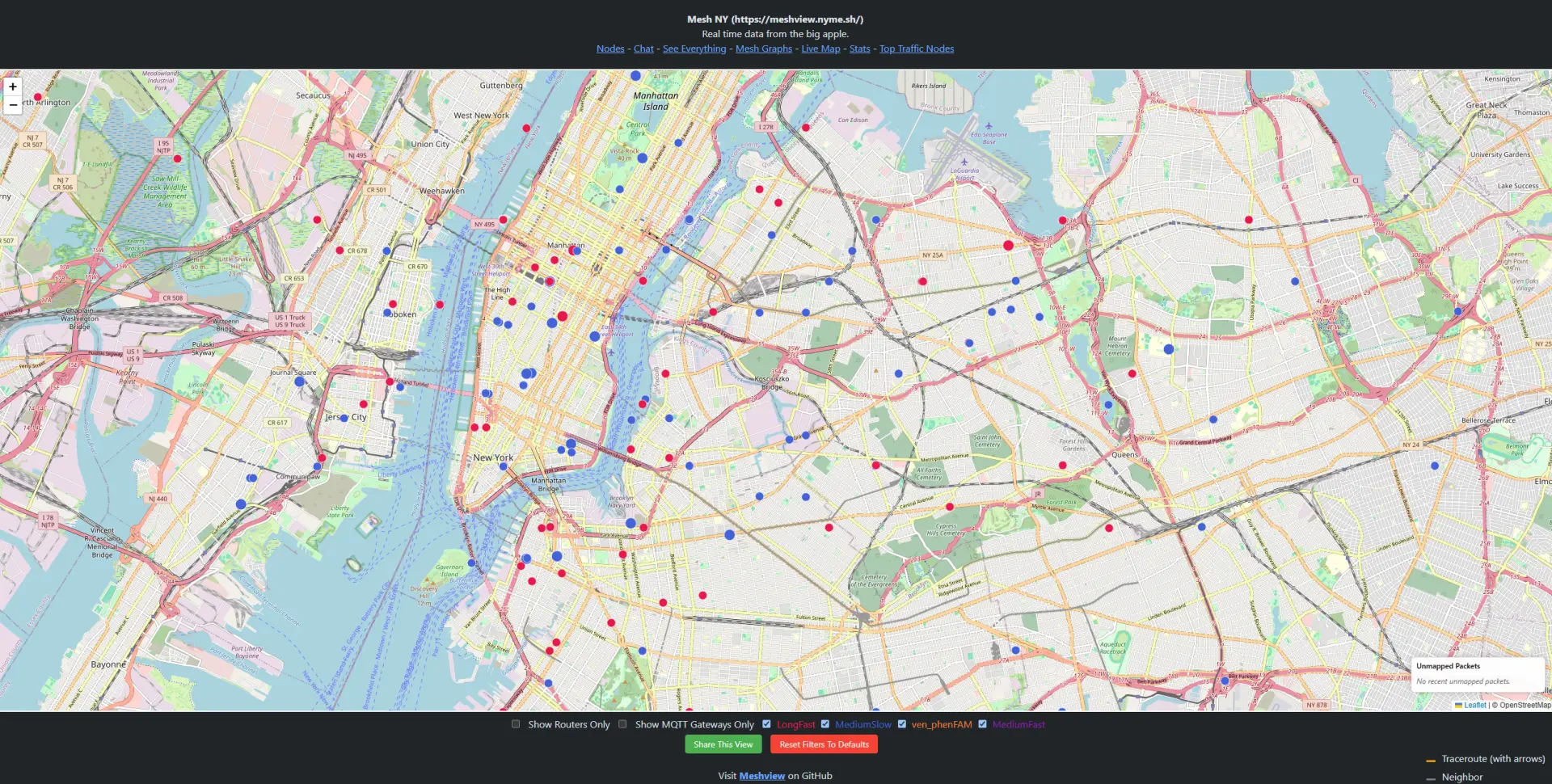
Public meshes often become communities as much as technical projects. Local groups tend to gather around websites, chat servers, maps, hardware recommendations, shared settings, and deployment notes. Those resources help newcomers understand which region, modem preset, channel, and hop limit the local network expects. They also reveal the social side of the mesh: who is maintaining fixed nodes, what areas have coverage, what hardware people trust, and what problems the community is trying to solve.

Unfortunately, urban areas also create one of the most punishing environments for Meshtastic to operate in. Buildings block and reflect signals, antennas are often below the surrounding roofline, and useful relay nodes may be nearby on a map without being reachable from a specific location. A city can have many nodes and still leave gaps between them because RF coverage does not spread evenly through streets, walls and dense construction.
The Experiment
The practical goal was simple: set up Meshtastic communication between two locations roughly 15 kilometres apart and see whether the existing urban mesh could help bridge the gap. Both locations had real-world constraints: neither had access to an antenna above the roofline, which meant the test would depend on ordinary residential placement rather than an ideal radio installation. That made the experiment closer to how many people are likely to try Meshtastic for the first time: good enough hardware, reasonable effort, but no tower, rooftop mast, or professionally placed antenna.
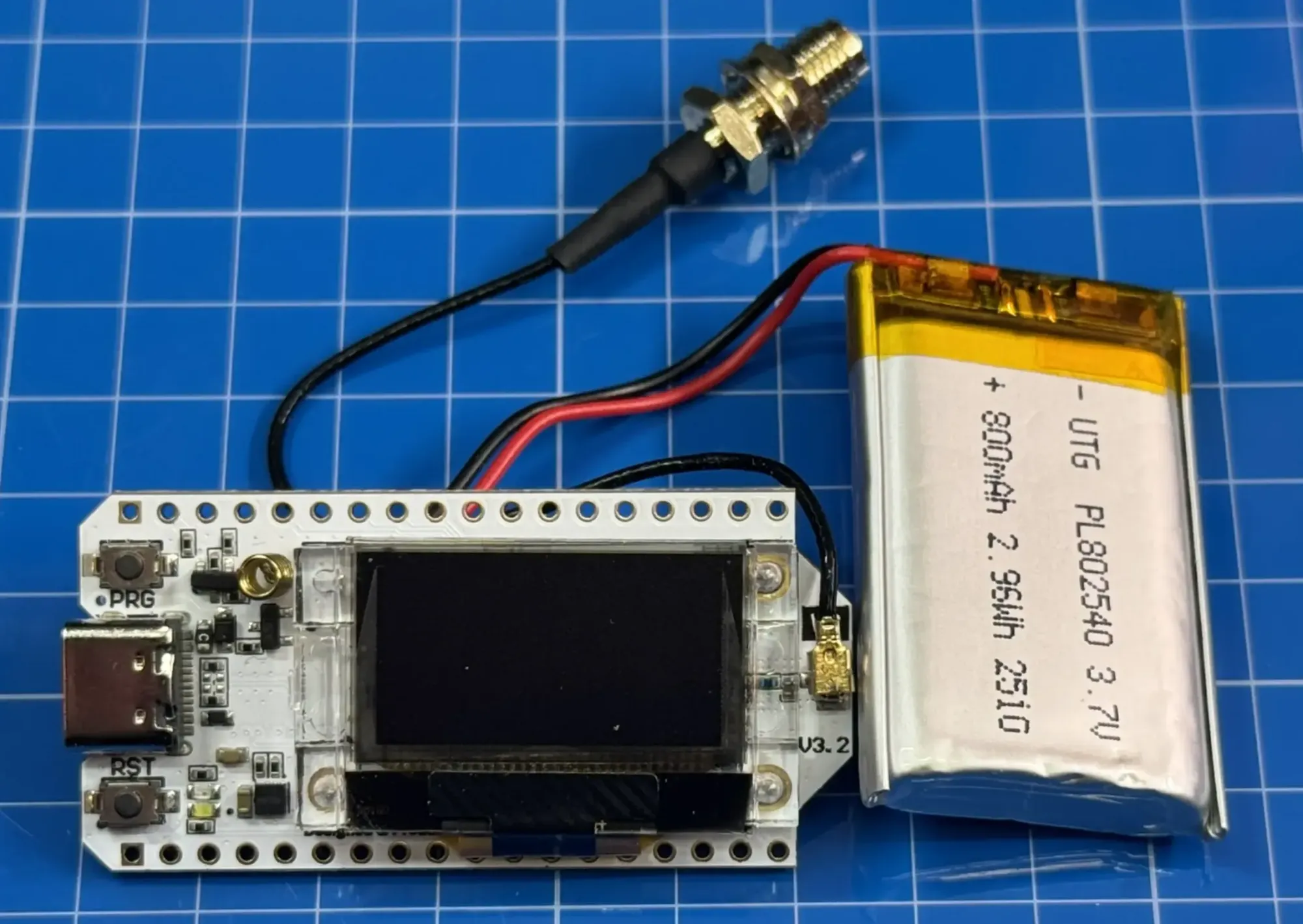
The first version of the setup used Heltec V3 nodes with small 2 dBi antennas at both locations. They were inexpensive, approachable, and useful for learning the basics of Meshtastic configuration. The lower-elevation location was later upgraded to a RAK4631-based WisBlock node with a 3 dBi antenna, partly to see whether a more infrastructure-focused device would provide a cleaner and more stable view of the mesh. A LilyGO T-Deck was also used for spot checks along the path, making it possible to observe what the mesh looked like from other points between the two fixed nodes.
The surrounding urban mesh made the test feel plausible. Public community nodes and router-style installations appeared to exist along the general path, and those nodes were part of the reason the experiment seemed worth trying. However, the question remained whether two small radios could reach each other directly across that distance.
The Expectation
In the first few days of operation, both fixed nodes started to see activity from the local mesh. Several community routers appeared in their node lists, and some of the same nodes appeared from both locations. That made the experiment feel promising. The two test nodes could not reach each other directly, but they seemed to be hearing parts of the same broader network.
The hope was that those shared routers would provide the missing link. If one test node could reach a community router, and the second test node could reach another part of the same mesh, then messages might be able to move across the city through repeated hops. However, as discussed earlier, having a community node in the node list only confirms that information about that node was received. It does not prove that the node is directly reachable, or that it can support reliable communication.
The Reality
The reliable path never appeared. Over several months of testing, the two fixed nodes could see signs of the local mesh, but they did not establish dependable communication across the full distance. Community routers appeared in the node lists, and some nodes seemed to overlap between the two locations, suggesting that both installations were hearing parts of the same broader mesh. Even so, messages did not consistently move from one side of the experiment to the other.
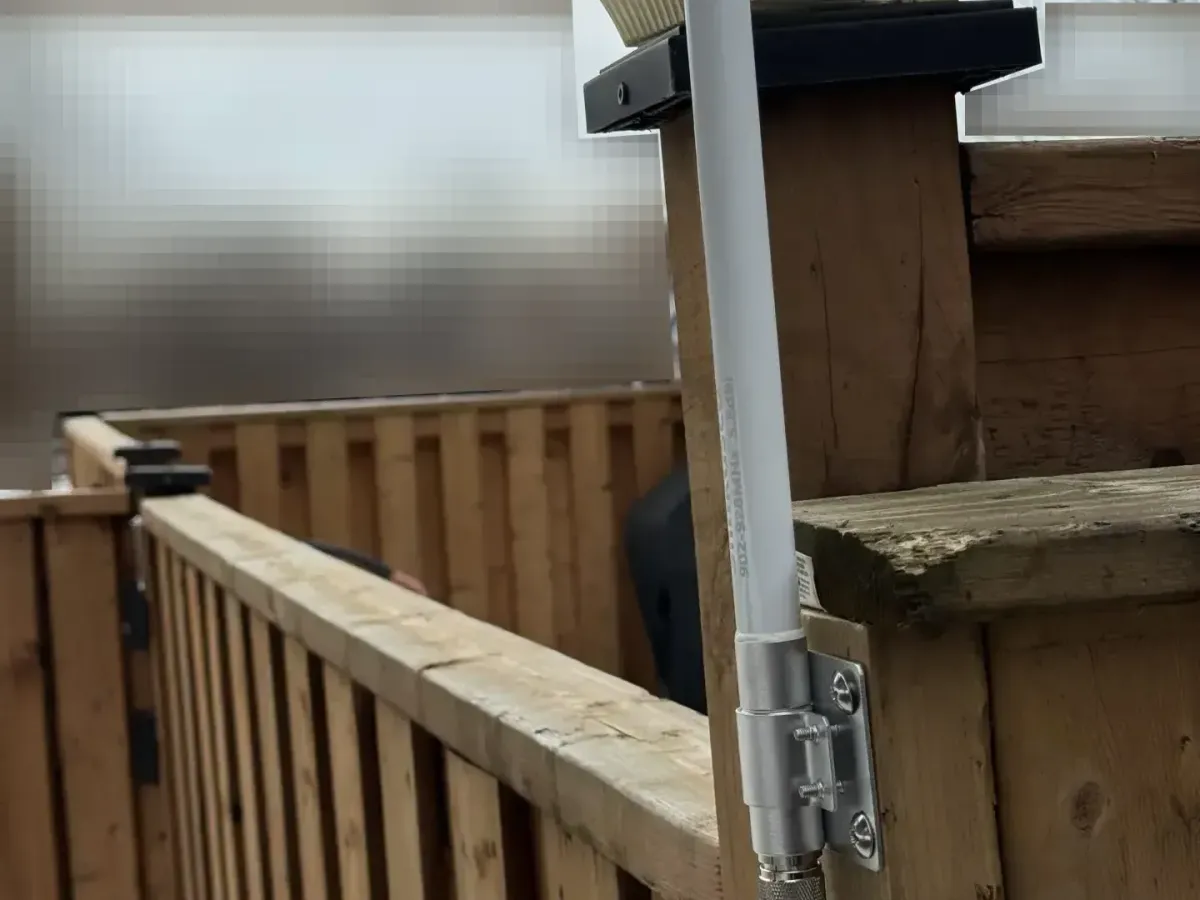
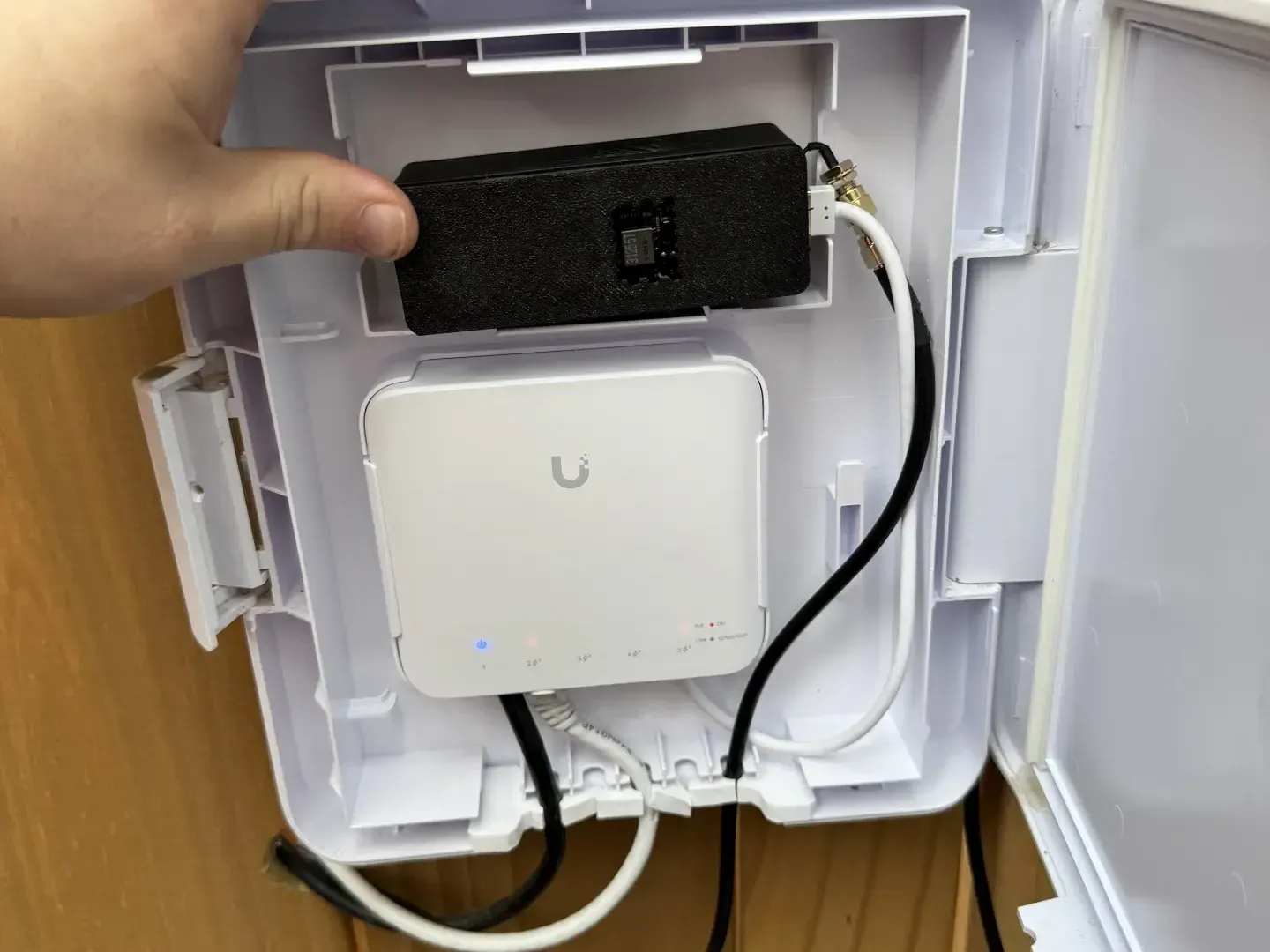
Most of the iterations centered on improving each node’s connection to the mesh. Antennas were upgraded and moved outside, and one of the Heltec V3 nodes was replaced with a RAK4631-based WisBlock node using Ethernet and PoE. The wired setup made the fixed installation easier to keep powered, connected, and managed without depending on WiFi for local access. The upgraded node saw fewer entries in its node list, but the nodes it did see appeared more often. That made the view of the mesh feel more consistant, but it still did not produce a reliable path between the two locations.
The hardest part of debugging was the design of Meshtastic itself. Nodes do not continuously announce a complete view of their surroundings, so it can be difficult to map nearby neighbors from one device alone. Message acknowledgements can show that a packet was received somewhere, but they do not always make it obvious which node received it, how the packet travelled, or how close it came to the intended destination. Traceroute can help, especially when testing nearby nodes, but it becomes less dependable as the path grows longer. Since many Meshtastic devices are small, low-power systems with limited local history, understanding the mesh often requires external tools, like MeshStellar, that collect observations over time and build their own database of received packets, routes, and node activity. However, since the ownership of the urban network is distributed, it is almost impossible to gather proper debugging information.
The Lesson
The first lesson was that visibility and reliability are different measures. Early in the experiment, a long node list made the mesh look promising, especially when some community routers appeared at both locations. Over time, that became less useful than consistency. A large number of nodes that appeared once mattered less than a smaller set of nodes that could be heard repeatedly. For an urban mesh, the useful question is not how many nodes appear in the list, but which nodes can be heard often enough to support real communication.
The second lesson was that better hardware can improve the reliability without improving reachability. Moving antennas outside, using a more appropriate antenna, and replacing one Heltec V3 with a RAK4631-based node made the setup more stable and easier to manage. Ethernet and PoE also made the fixed node feel more like infrastructure than a temporary experiment. Those improvements helped produce a cleaner view of the mesh, but they did not increase the distance messages could reach.
The third lesson was that joining a public urban mesh is a very different experience from building a controlled private mesh. In a private setup, the builder can choose where the nodes go, test the route directly, and adjust the antennas until the path works. In a public mesh, the available infrastructure already exists, with its own placement, traffic patterns, settings, and gaps.
The Next Void
After several months of testing, continuing with Meshtastic became less practical for this experiment. Some of the router-style nodes that had been visible earlier started to disappear, and a quick look at local community activity suggested that attention had shifted toward MeshCore, a Meshtastic alternative. That shift was understandable. MeshCore’s architecture appears to address this kind of urban problem more directly.
 Liam Cottle
The starting place of all things Meshcore
Instead of relying on a broad peer-to-peer mesh where many ordinary nodes may forward traffic, MeshCore emphasizes fixed repeaters and a more deliberate backbone. That model seems better suited to a city, where stable elevated nodes, predictable coverage, and reduced congestion matter more than having every portable device participate in the relay fabric. For an urban network, a planned backbone can be easier to reason about than a mesh that grows organically from whatever nodes happen to be online.

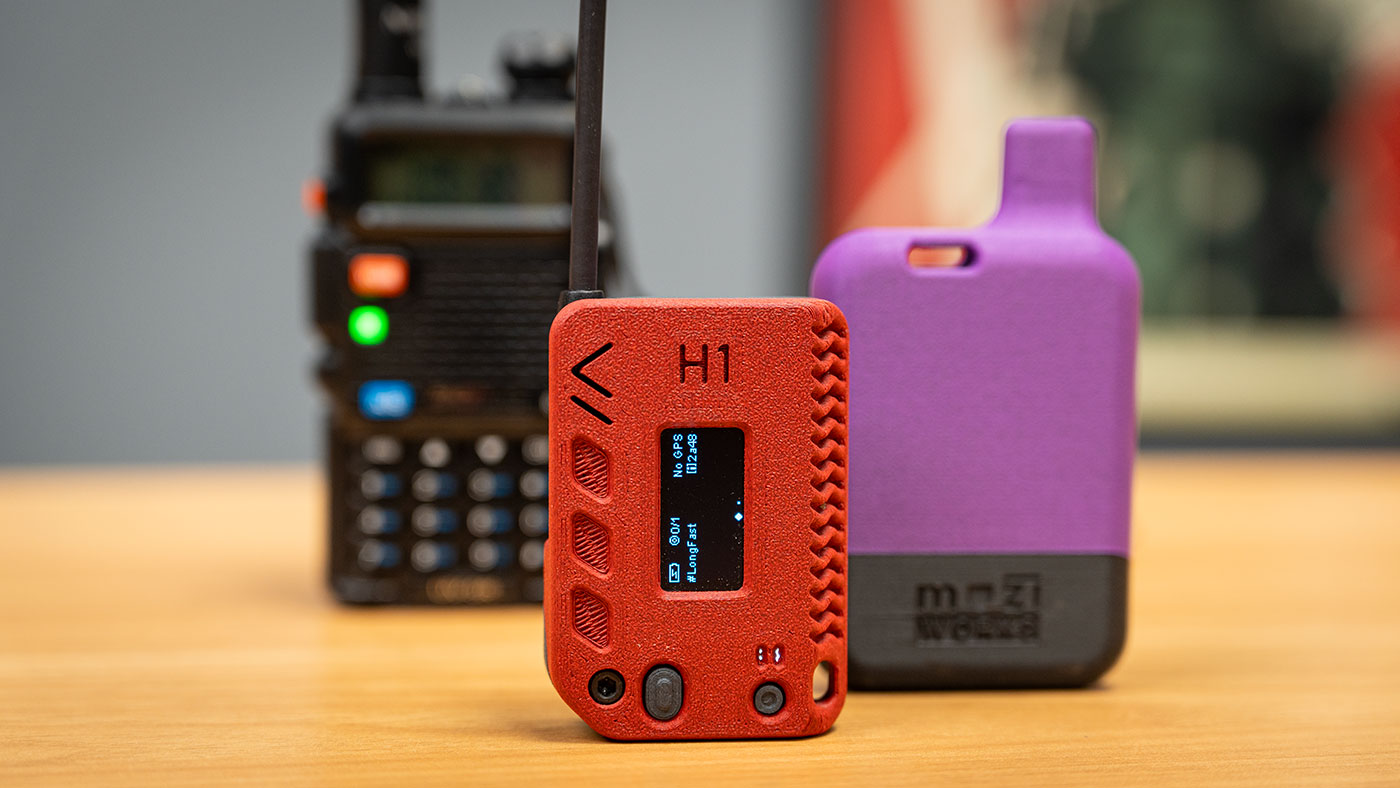
Jeff Geerling managed to introduce a new generation to radio hobbies, like Ham Radio and Meshtastic.
Meshtastic remains a useful wireless communication project, especially in environments where the router nodes are controlled by a single operator or a small coordinated group. In that kind of setup, placement, configuration, testing, and troubleshooting can all be managed with a clear goal. In a public urban mesh, its architecture can make growth harder to understand. Debugging tools are limited, visibility can be challenging, and as Jeff Geerling wrote in his Meshtastic setup guide, sending a first message may feel like “shouting into the void.” After this experiment, the next step may be to move on to the next void.
What have you learned from trying to build or join a local mesh network? Have your results matched what the maps and node lists suggested, or did the RF environment tell a different story? For another look at community-built wireless infrastructure, check out "Is the Helium LoRaWAN Network a Success or a Failure?". It explores a different attempt to turn distributed radio hardware into shared network infrastructure, with its own mix of technical promise, incentives, and practical limits.